
What Is Self-Hosted Project Management Software, and Which Tools Run On Your Own Server in 2026?

Self-hosted project management software is a planning application installed on hardware you own — a Windows Server, a Windows 10 or 11 workstation, a Windows VPS, or a Microsoft Azure virtual machine — so every task, file, and cost record stays inside your own network instead of a vendor’s cloud.
The self-hosted work-management segment is growing because on-premise control has become a compliance requirement in regulated sectors, and because two legacy Microsoft products are being retired: Project Server 2019 reached end of extended support on 14 July 2026, and Project Online is scheduled for retirement on 30 September 2026. For a small business, an engineering team, or an organisation under data-residency rules, that shift raises a practical question — which tool, on which machine, at what cost. This guide defines the category, compares the leading self-hosted tools, breaks down the four deployment models, the real cost over five years, the security trade-offs, and shows where Kendo Manager fits.
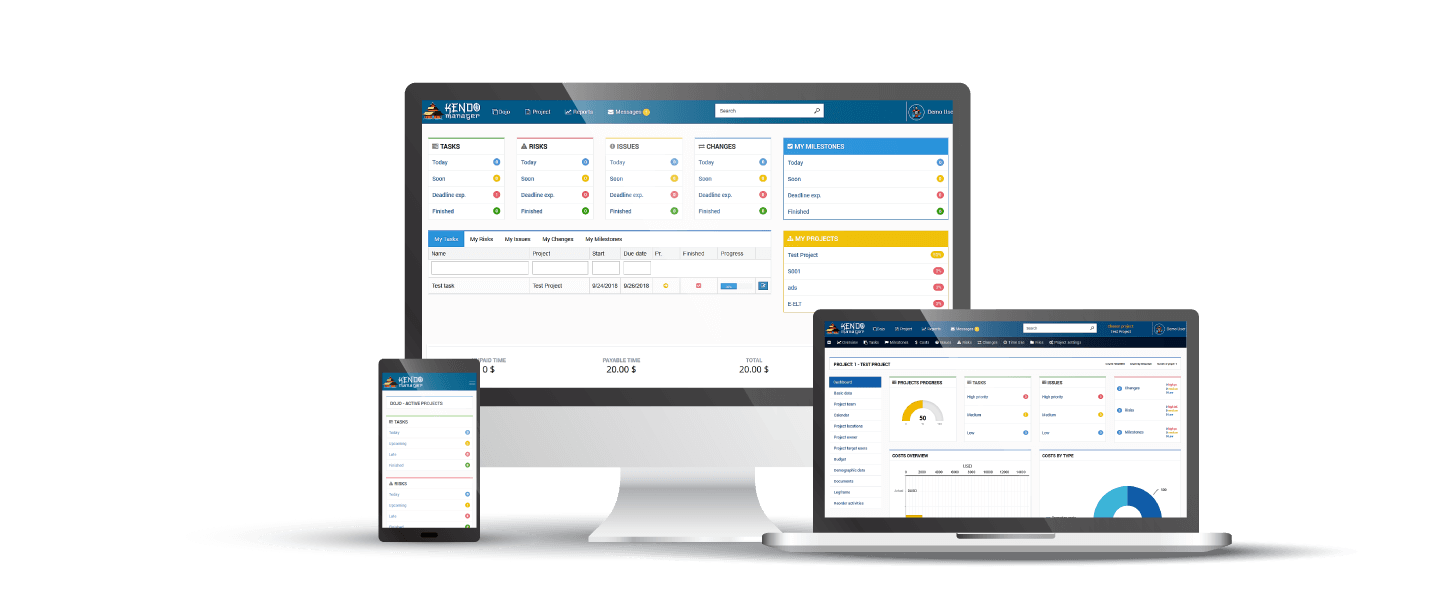
What does “self-hosted” actually mean for project management software?
Self-hosted means the software and its database sit on infrastructure your organisation controls, not on a multi-tenant server owned by the software vendor. Three terms get used interchangeably but are not identical: self-hosted describes who runs the server, on-premise specifies that the server is physically inside your premises, and open-source describes the licence of the code. A tool can be self-hosted without being open-source — Kendo Manager is a commercial application you host yourself, while Redmine and OpenProject are open-source tools you also host yourself.
| Term | What it specifies | Example |
|---|---|---|
| Self-hosted | Who operates the server (you, not the vendor) | Kendo Manager, OpenProject |
| On-premise | Where the server physically sits (your building) | Windows Server in your office |
| Open-source | The licence of the source code | Redmine, Taiga, Leantime |
| Cloud / SaaS | Vendor runs it, you rent access monthly | Asana, Monday.com, Trello |
What do companies use for on-premise project management today?
Companies today run a mix of open-source and commercial self-hosted tools, most commonly Redmine, OpenProject, Plane, Taiga, Leantime, and Kendo Manager. The choice usually splits along one line — technical overhead. Open-source tools give deep customisation but assume someone on the team can run Linux, a database engine, and in several cases Docker; commercial self-hosted tools trade source-code access for a faster install and vendor support.
| Tool | Licence | Typical stack to run it | Docker needed? |
|---|---|---|---|
| Kendo Manager | Commercial (perpetual) | Windows + IIS + MariaDB | No |
| OpenProject | Open-source | Linux + PostgreSQL | Optional |
| Redmine | Open-source | Ruby + database | No |
| Plane | Open-source | Docker | Yes |
| Leantime | Open-source | LAMP (Linux/Apache/MySQL/PHP) | Optional |
| Taiga | Open-source | Linux + Docker | Yes |
For a full breakdown of each option, see our self-hosted project management software guide.
What’s the difference between on-premise project management and traditional methods?
On-premise project management replaces scattered spreadsheets, email threads, and local files with one shared application on your own server, where every team member sees the same live schedule, task list, and resource plan. Traditional methods keep project data in separate documents that go stale the moment they are copied; an on-premise tool keeps a single source of truth inside your network, with an audit trail that never leaves your control.
Why do organisations choose self-hosting over a cloud subscription?
Organisations self-host for four concrete reasons: data custody, predictable cost, no per-user fee escalation, and independence from a vendor’s uptime and pricing decisions. Each maps to a measurable difference, not a preference.
- Data custody. The project database and file attachments sit on hardware you control, so no third-party processor is in your data path — which removes an entire category of vendor-side breach exposure.
- Predictable cost. A one-time perpetual licence replaces a monthly per-user bill, so the cost does not rise every time you hire.
- Data residency. For teams under GDPR or sector rules, keeping data inside a specific jurisdiction is simpler when the server is yours.
- No lock-in. If you stop paying for upgrades, a self-hosted install keeps running; a cancelled SaaS subscription cuts off access to your own data.
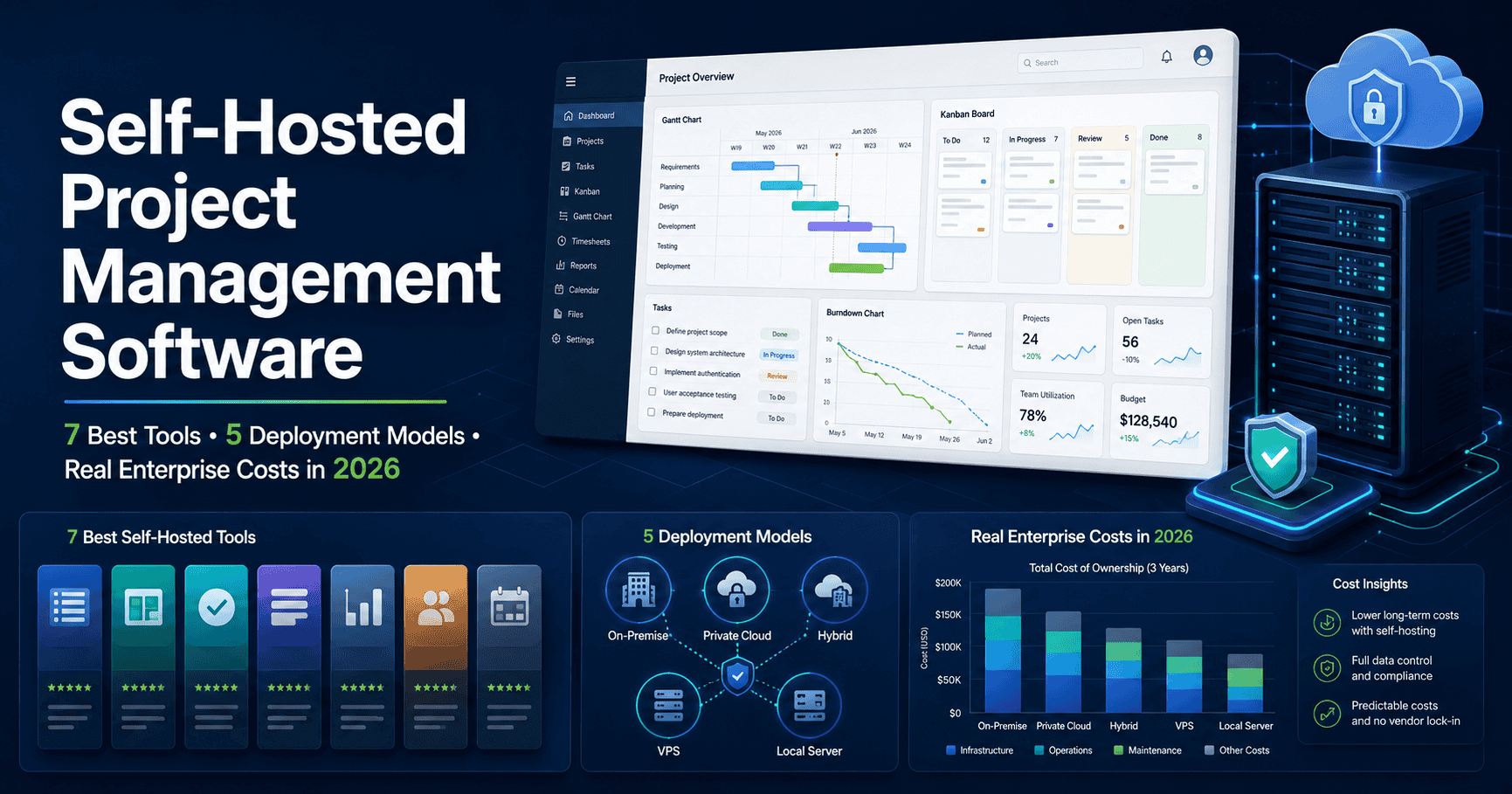
Which 4 deployment models can self-hosted project management software run on?
Self-hosted project management software runs on four setups, from a single office PC to a cloud virtual machine you control. The application logic is identical across all four — what changes is where the Windows machine lives and who can reach it.
| Deployment | Best for | Access from outside the office |
|---|---|---|
| Local Windows 10/11 PC | Small team, one office, LAN use | Needs VPN or port forwarding |
| Windows Server | Company with an existing server room | Standard network + VPN |
| Windows VPS | Team with no hardware of its own | Public IP + SSL, browser from anywhere |
| Microsoft Azure VM | Cloud-first orgs that still want data custody | Inside your Azure tenant, browser from anywhere |
The Azure and VPS routes matter for one common objection — remote work. Because Kendo Manager is a web application accessed through a browser, a VPS or Azure VM with a public address and an SSL certificate lets a distributed team open the same URL from any device — Windows, Mac, Linux, tablet, or phone — while the database still lives on a machine the company owns. The server is Windows; the clients are anything with a browser. The same setup is covered in depth on our on-premise project management software page.
How long does it take to install self-hosted project management software?
Kendo Manager installs in about five minutes with a one-click installer, on a Windows machine you already own, with no Docker, no Linux, and no database administrator. That is the practical gap in this category: OpenProject expects Linux and PostgreSQL, Plane expects Docker, Redmine expects Ruby — each assumes a technical operator. Kendo Manager runs on components Windows already carries: IIS as the web server, the free MariaDB database, and .NET Framework.
What are the system requirements?
| Component | Requirement |
|---|---|
| Operating system | Windows Server, or Windows 10 / 11 workstation (for LAN use) |
| Web server | IIS — included with Windows |
| Database | MariaDB (free) |
| Framework | .NET Framework 4 or later |
| Online option | Windows VPS or Azure VM with Plesk panel |
Step-by-step setup is documented in the Kendo Manager installation guide for Windows.
Is self-hosted project management more secure than cloud?
Self-hosting changes the attack surface rather than automatically making data safer: it removes the third-party processor from your data path, so a breach at a popular SaaS vendor cannot expose your records, but it also moves responsibility for patching and backups onto your team. A cloud tool concentrates thousands of customers on shared infrastructure, so one provider incident can affect many tenants at once; an on-premise install means an intruder has to reach your network first. When the database runs on Windows Server, a workstation, a VPS, or Azure that you control, the data boundary matches your existing IT perimeter, and the audit log stays inside it.
For the full list of protections, see self-hosted project management software security.
How much does self-hosted project management software cost over 5 years?
A self-hosted tool with a one-time licence typically costs far less than an equivalent SaaS subscription over five years, because the licence is paid once while a subscription is billed per user every month. Kendo Manager uses a perpetual licence: paid once, it includes 12 months of upgrades and support, with an optional 25% annual maintenance fee from the second year. If maintenance is not renewed, the software keeps running — only updates pause. The remaining costs are the machine that has to stay on, someone to click updates, and backups.
Illustrative 5-year cost for a 50-person team:
| Option | Year 1 | Year 5 (cumulative) |
|---|---|---|
| Kendo Manager Business (50 users) | $2,499 | $4,999 (licence + 4× maintenance) |
| MS Project Plan 3 (~$30/user/mo) | ~$18,000 | ~$90,000 |
| Typical SaaS ($10/user/mo) | $6,000 | $30,000 |
Pricing tiers: Free $0 (1 project, 10 users), Startup $749, Office $1,249, Business $2,499, Business Pro $3,799, Professional $6,299 (unlimited). See full Kendo Manager prices.
Is there a free self-hosted project management option?
Kendo Manager ships a free self-hosted tier at zero cost under a perpetual licence, capped at 1 active project and 10 team members, with every application module included — not a trial and not a read-only preview. The free tier covers 1 active project, 10 team members, all application options, technical support, full control of the install, and mobile-ready browser access.
The upgrade path removes the usual migration fear: moving from the free tier to a paid version is a one-click upgrade with no project files lost, so a team that outgrows 10 users continues exactly where it stopped rather than rebuilding in a new tool. Teams replacing Microsoft Project often start here — see our free MS Project alternative.
Frequently asked questions
Can self-hosted project management software run on a normal PC?
Yes — Kendo Manager runs on a standard Windows 10 or 11 workstation on your local network, using the IIS web server and MariaDB database that the machine can host without extra infrastructure. This suits a single office where the team accesses it over the LAN.
Do I need a server administrator to self-host?
No — Kendo Manager installs in about five minutes with a one-click installer and needs no Docker, Linux, or database administrator, unlike open-source tools such as Plane or OpenProject. The components it uses (IIS, MariaDB, .NET) are already part of Windows.
Can a remote team use a self-hosted tool?
Yes — hosted on a Windows VPS or Azure virtual machine with a public address and an SSL certificate, the browser-based application is reachable from any device while the database stays on a machine the company owns.
Is self-hosted software cheaper than a subscription?
Over five years, usually yes for teams above roughly 25 users, because a one-time perpetual licence replaces a recurring per-user monthly fee. The break-even depends on team size and how long you keep the tool.
What happens to my data if I stop paying?
With a perpetual licence the software keeps running and your data stays on your server; only future upgrades and support pause until maintenance is renewed. A cancelled SaaS subscription, by contrast, cuts off access to the data itself.

