
What’s new in Kendo Manager 3.0?
Today, we launch new Kendo Manager 3.0 Project Server.
Kendo Manager 3 is the Enterprise software for planning projects, and with today’s new version, we’re adding powerful new features—transforming our Enterprise software into a complete central project management server where teams can work, plan and achieve amazing things together.
What’s New?
The new Kendo Manager 3.0 takes project team collaboration to a whole new level. Projects can now be worked on in three different views: Gantt charts, Kanban boards, and Task lists. You can easily switch between the three views at any time, giving teams flexibility to choose the view that best fits their work style. In addition to new features like Kanban boards, New Gantt Chart module, new virtual resources module, New reports and upgraded task lists, this release contains big improvements to the look and functionality of the software.
1. New Gantt chart module
We change complete Gantt module with new interactive Gantt based on javascript and HTML5.
Features of the Gantt Chart:
- Interactive Gantt Chart
- Task dependencies
- Critical path
- New filters and search
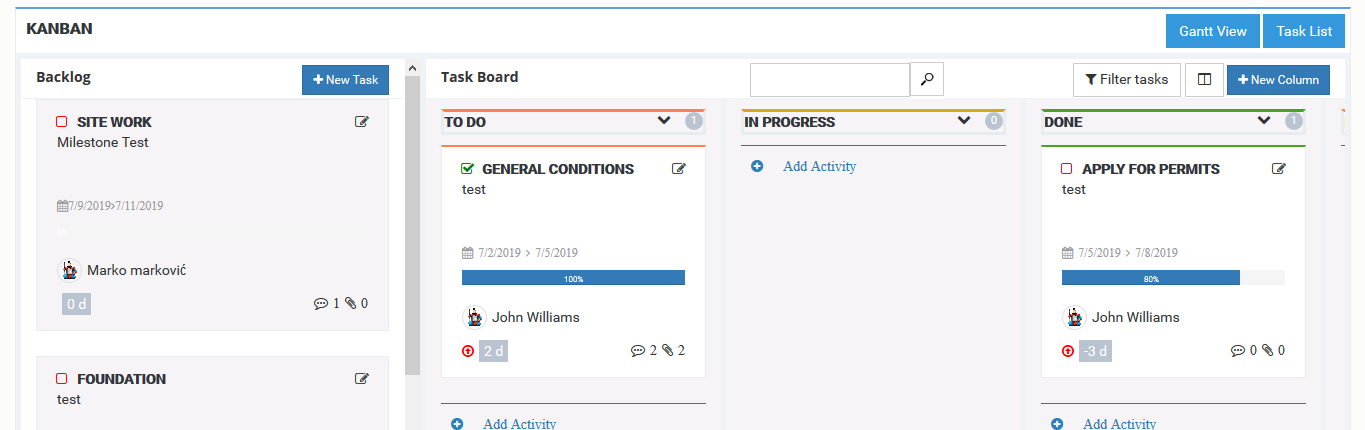
2. Kanban board
We added the Kanban board options so people can tackle agile projects in our software, right alongside their Gantt projects and other projects who use clasic task lists. Our Kanban board is simple and intuitive, featuring a drag and drop interface with columns and cards that can be customized at will.
Features of the Kanban Board View:
- Backlog
- Add column
- Move column and task
- Filter
- User view
3. Virtual resources module
We add new Virtual resources options. You can define a list of resources in application and add on project and task. Also you have new activity reports and resources report.
Features of the Virtual resources:
- New virtual resource module
- New task – resource form
- Resource Measurement Unit – Admin can add new Measurement Unit (meters, cans%, units, m3) in Application. You can find new options in admin section: Admin – Code Table – Resource Measurement Unit
- Resource type – Admin can add new Resource type (Material resources, Human resources, Equipment ) in Application. You can find this options in admin section : Admin – Code Table – Resource type
- Virtual Resources Manual
4. New Kendo Manager 3.0 Reports
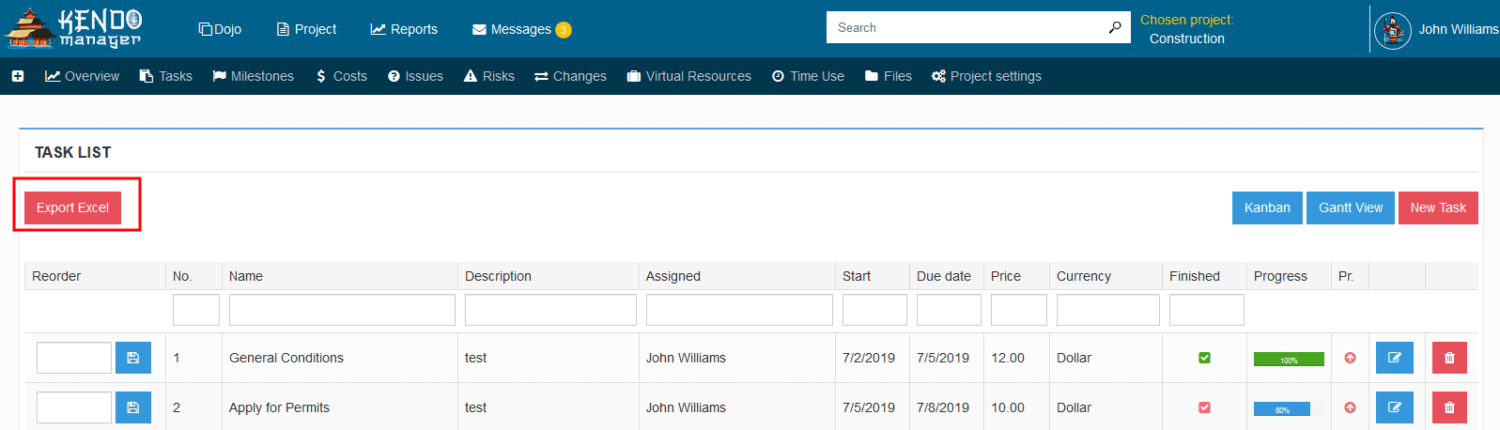
- We add 2 new reports . Activity reports and resources report.

- We add export task list to excel
5. Default activity (Task) view option
Now, You can set default activity (task) view on project . You can find new option in project settings .

6. Full project team collaboration
Kendo Manager is an self hosted project management software that gives you complete control and full visibility over your projects.
Features of the team collaboration:
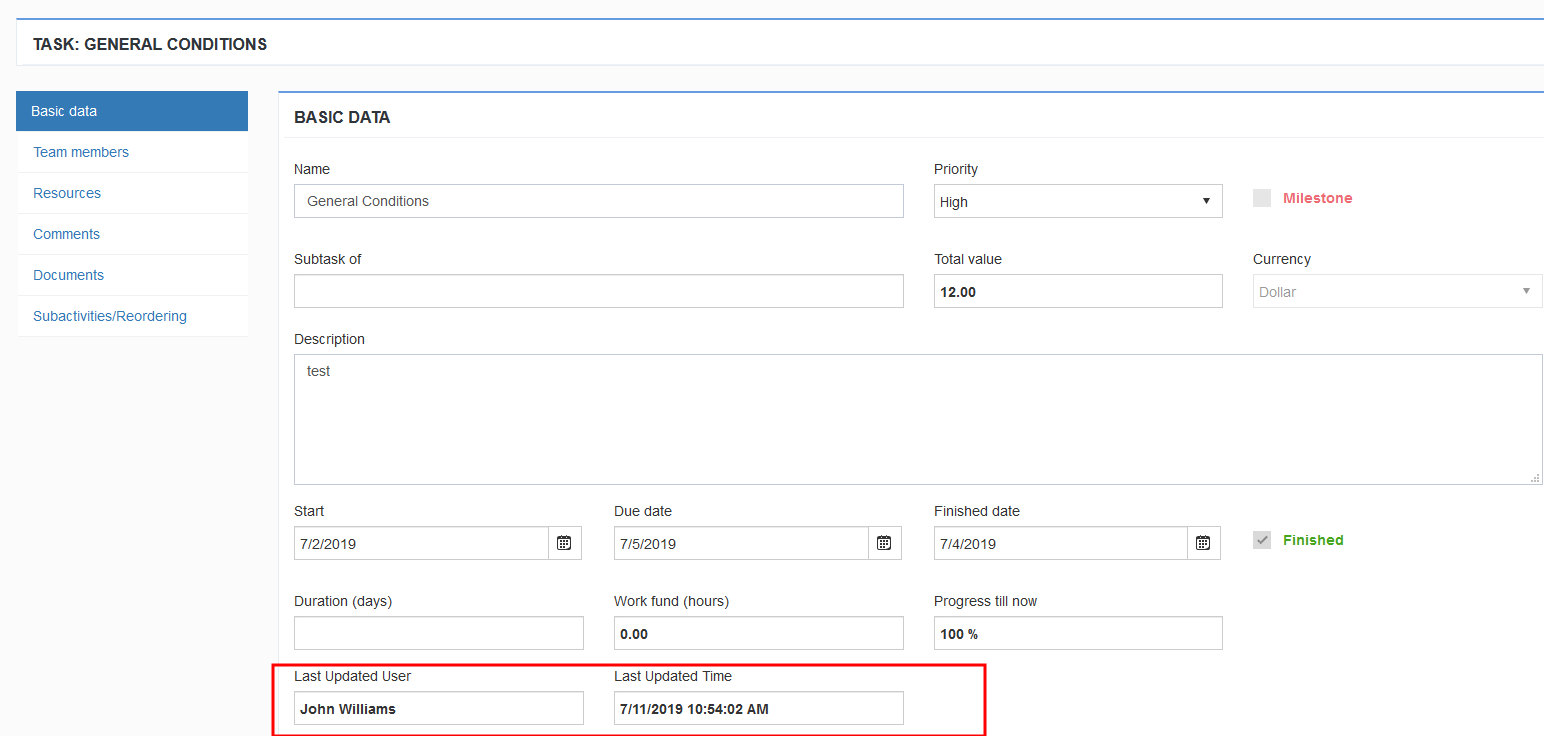
- We add on all form (task, resource, cost, time ..) action log.
- You can add permission your project team members to add resources on task, time or to add their costs. You have log who make a change or add a new record.
- Project team collaboration manual
7. Private project option
Project Manager can lock project for other users. Only Project team can see private project data.
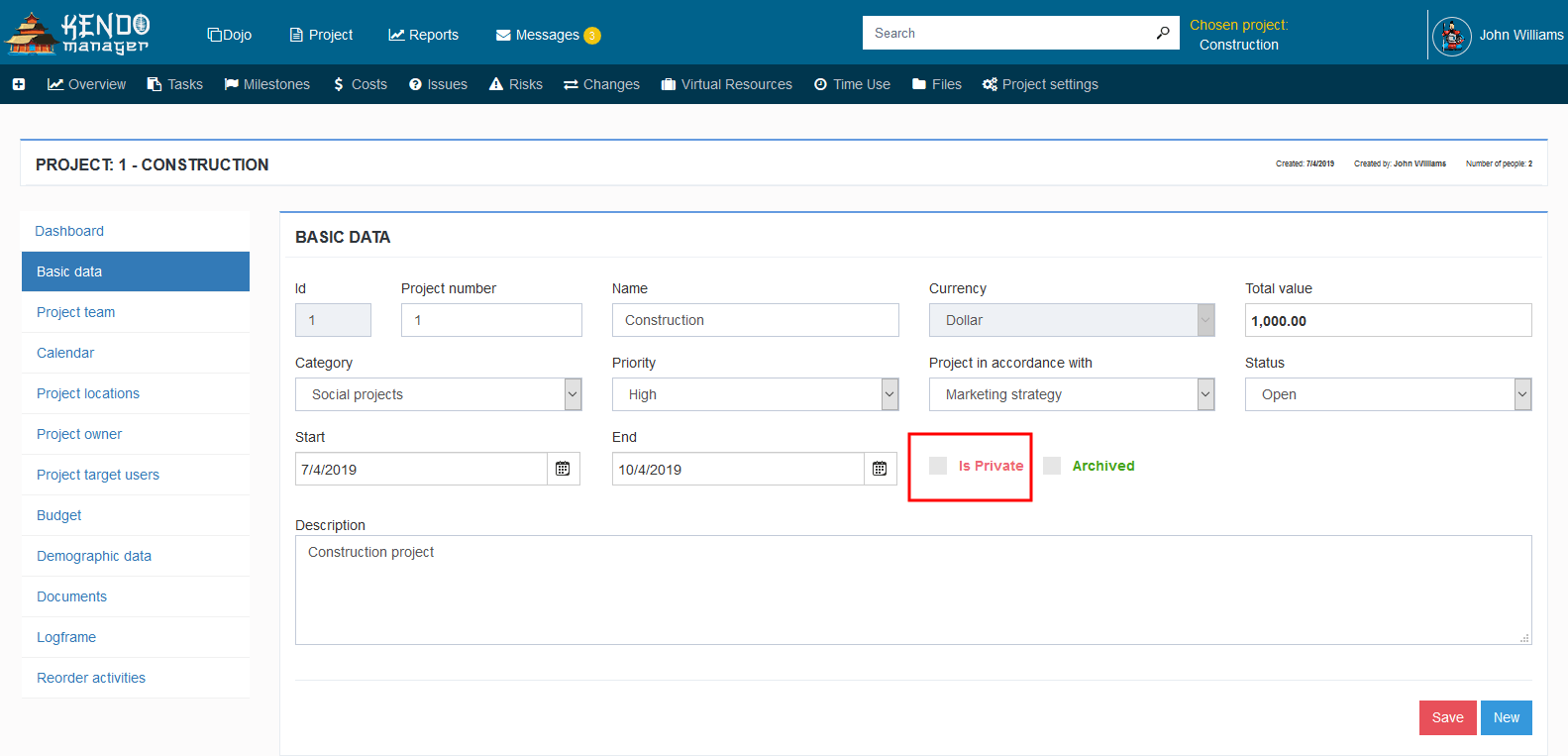
Note : If you use private project options, you need to uncheck the reports for the user in the admin section.

Ready to try it out? You can go here to take a free 30-day trial.

