
Trello Self-Hosted: Can You Run Trello on Your Own Server?

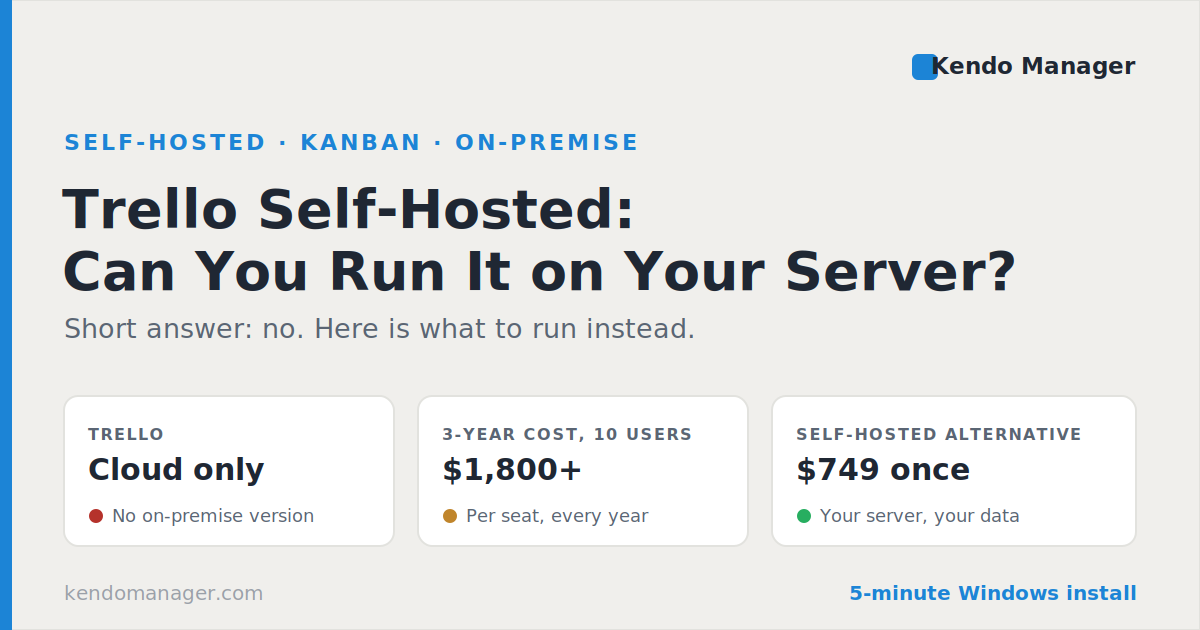
Trello cannot be self-hosted. Atlassian sells Trello only as a cloud service, and its own community moderators have stated there are no plans for a self-hosted release, so every board, card, and attachment stays on Atlassian’s infrastructure. Teams search for a self-hosted Trello for three practical reasons: data control, per-seat costs that climb with headcount, and the 10-board ceiling on the free plan. This guide covers why no on-premise version exists, what the free plan actually limits, the four options open to you, and a three-year cost comparison that most teams never run.
Can Trello be self-hosted?
No. Trello runs exclusively as a hosted service on Atlassian’s servers, with no on-premise, Docker, or private-cloud edition available at any pricing tier, including Enterprise. Asked directly about an on-premise release, Atlassian’s community moderators confirmed that Trello is offered only as a service and that no self-hosted version is planned.
Independent software directories reach the same conclusion. AlternativeTo lists Trello as unavailable for self-hosting and catalogues more than a dozen on-premise substitutes instead. This puts Trello in the same category as ClickUp and Asana, and apart from Jira, which did offer a self-managed edition until Atlassian began retiring it.
Why is there no self-hosted Trello?
Trello has no self-hosted edition because it was built as a multi-tenant SaaS product and because Atlassian’s product strategy has moved decisively toward cloud-only delivery. The company retired Jira Server in February 2024 and set Jira Data Center, its last self-managed offering, to reach end of life on 28 March 2029. A vendor winding down the self-hosted products it already had is unlikely to build a new one.
There is a commercial logic here as well. Per-seat subscriptions produce predictable recurring revenue that a one-time on-premise licence does not, and a single hosted codebase costs far less to maintain than software shipped to thousands of customer environments. None of that helps a team bound by an internal policy that project data must remain on company hardware.
What are the limits of Trello’s free plan?
Trello’s free plan caps you at 10 boards per Workspace, 10 collaborators, 250 automation command runs per month, and 10 MB per file attachment, while cards and Power-Ups stay unlimited. The board ceiling is the constraint teams hit first, particularly agencies that keep a separate board per client.
| Limit | Trello Free | Kendo Manager Free |
|---|---|---|
| Hosting | Atlassian cloud only | Your own server |
| Boards or projects | 10 boards per Workspace | 1 active project |
| People | 10 collaborators | 10 users |
| Automation | 250 runs per month | Included |
| File attachments | 10 MB per file | Your disk space |
| Gantt and costs | Paid tiers or Power-Ups | Included |
The two free plans limit you along different axes. Trello restricts how much work you can organise but not where it lives; Kendo Manager restricts you to one active project while handing over the full module set and the server itself.
How much does Trello cost per user?
Trello costs $5 per user per month on Standard and $10 per user per month on Premium when billed annually, rising to $6 and $12.50 on monthly billing, with Enterprise starting near $17.50 per user per month under a 50-seat minimum. Every tier is priced per seat, so the real figure is the advertised rate multiplied by your headcount, every year, for as long as you use it.
Add-ons sit on top of that. Although Power-Ups are unlimited on all plans, several popular integrations carry their own subscriptions, so a board set that relies on third-party time tracking or reporting costs more than the seat price suggests.
What does Trello cost over 3 years compared with a one-time licence?
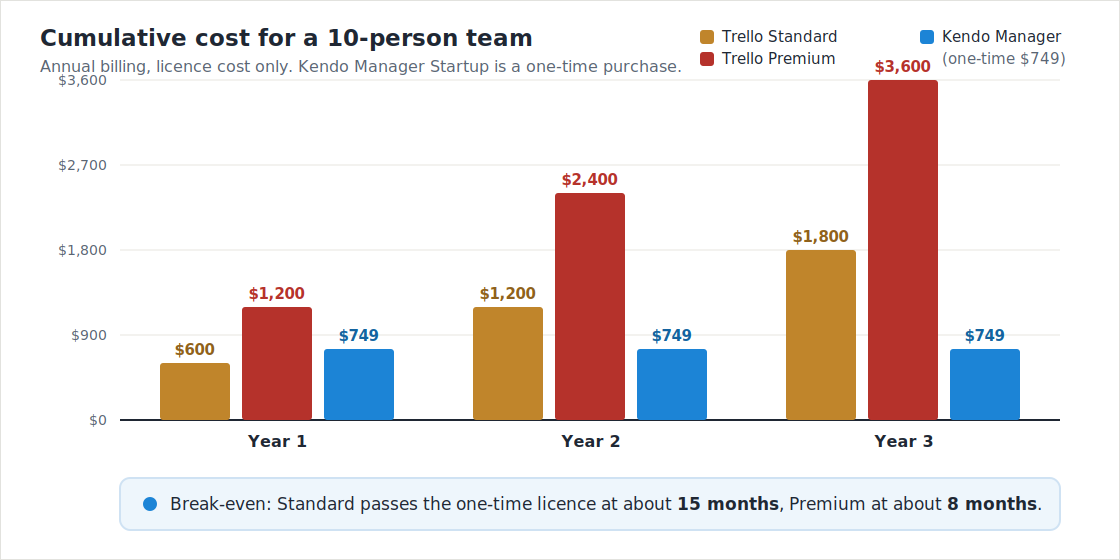
Over three years, a 10-person team pays $1,800 on Trello Standard and $3,600 on Trello Premium, against $749 once for a self-hosted licence covering the same 10 users. The subscription overtakes the one-time purchase after roughly 15 months on Standard and after about 8 months on Premium.
| Plan, 10 users | Year 1 | 3-year total |
|---|---|---|
| Trello Standard | $600 | $1,800 |
| Trello Premium | $1,200 | $3,600 |
| Kendo Manager Startup | $749 | $749 |
Figures use annual billing and cover licence cost only. The Kendo Manager package is a one-time purchase that includes a year of upgrades and support; the subscription lines repeat every year that the team keeps using the product. Larger teams scale differently under each model: 50 seats on Trello Standard runs to $3,000 a year, while a one-time licence for the same headcount is listed on the Kendo Manager prices page.
What are the 4 options if you need Trello on your own server?
Four options exist when a self-hosted Trello is what you need, and only two of them keep data on your hardware. You can stay on Trello Cloud and accept the tradeoff, export your boards and rebuild them in an open-source Kanban tool, run a self-hosted alternative you install yourself, or negotiate an enterprise data-residency arrangement that still leaves hosting with Atlassian.
- Stay on Trello Cloud. Simplest path, but your boards remain on Atlassian infrastructure and costs scale per seat.
- Open-source Kanban (Wekan, Focalboard, Kanboard). Free to licence and genuinely self-hosted, though most expect Docker, a Linux host, and ongoing patching by someone on your team.
- Self-hosted commercial alternative. One-time licence, installs on Windows, includes support, and covers planning modules that Kanban-only tools leave out.
- Enterprise data residency. Pins data to a geographic region, which satisfies some compliance rules but is not self-hosting.
What is the best self-hosted Trello alternative?
The best self-hosted Trello alternative for a team that wants Kanban without a Linux project is one that installs on Windows and includes planning features Trello charges extra for. Kendo Manager runs Kanban boards on your own server and adds interactive Gantt charts, task and resource management, cost and budget control, time tracking, issues, risks, change management, and reporting in the same install, with no Power-Ups to buy.
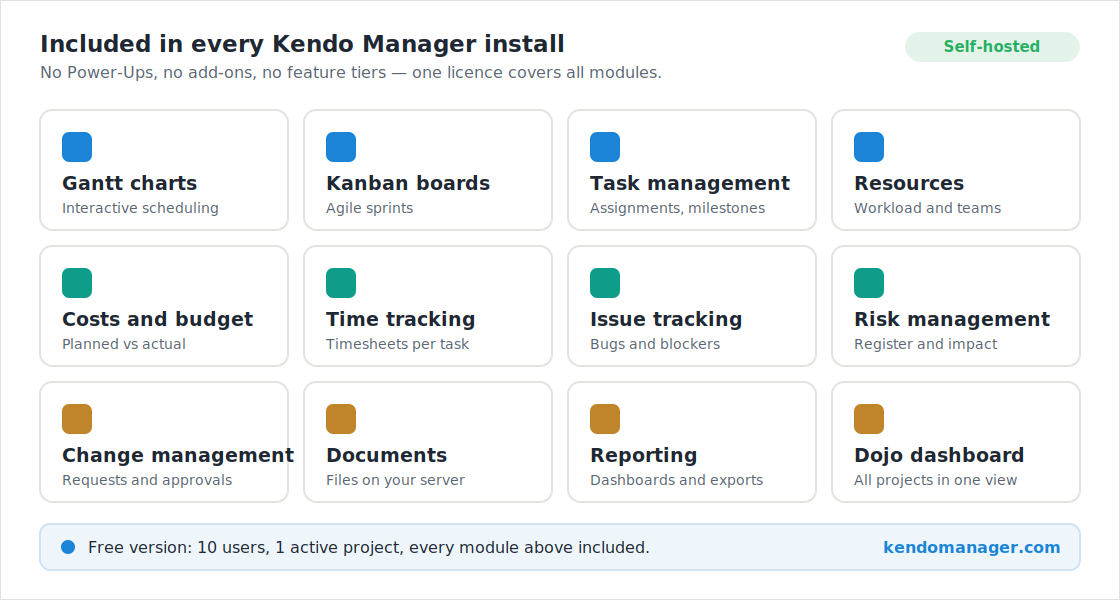
Boards behave the way Trello users expect, so the transition is mostly a matter of rebuilding lists and cards rather than learning a new discipline. Teams that also run scheduled work get waterfall planning alongside the boards instead of choosing between them. The full comparison lives on the Best Self-Hosted Trello Alternative page, which sits inside the self-hosted project management software alternative hub, and every module is listed on the Features page.
How do you set up a self-hosted Kanban server in 5 minutes?
A self-hosted Kanban server can be running in about five minutes through a single Windows installer. The setup prepares the required components, configures the MariaDB database, installs the application, creates a desktop shortcut, and opens the tool in your browser, with no Docker image to pull and no database to configure by hand.
Hardware requirements are modest: a dual-core processor and 2 GB of RAM, on Windows 10, Windows 11, or Windows Server, with MariaDB 10.1 to 10.6, IIS, and .NET Framework 4 or later. Compare that with the 8 GB and Docker stack most open-source Kanban servers expect. Both the one-click and manual routes are documented in the Kendo Manager Installation guide for Windows, and the wider setup process is covered in How to Start a Free Project Management Server in 5 Minutes. Teams that want to test the full module set before committing can start with the free trial.
Frequently asked questions about self-hosted Trello
Is there an on-premise version of Trello?
No. Trello is a cloud-only service hosted by Atlassian, with no on-premise, Docker, or private-cloud edition at any tier. Atlassian community moderators have confirmed that no self-hosted Trello is planned.
Can I export my Trello boards to a self-hosted tool?
Yes. Trello exports boards as JSON and CSV, and several self-hosted Kanban tools include Trello import. For tools without a direct importer, the usual route is exporting each board and rebuilding lists and cards in the new system.
Is Trello free forever?
Yes, with limits. The free plan has no time limit but caps you at 10 boards per Workspace, 10 collaborators, 250 automation runs per month, and 10 MB per attachment. Passing any of those thresholds requires a paid seat.
What is the cheapest self-hosted Trello alternative?
Open-source tools such as Wekan and Kanboard cost nothing to licence, but require a Linux host, Docker, and your own maintenance. Kendo Manager is free for 10 users and one active project on Windows, with paid packages starting at $749 as a one-time purchase.
Does a self-hosted alternative give me Gantt charts too?
Yes. Kendo Manager includes interactive Gantt charts alongside Kanban boards in the same install, plus costs, budgets, resources, time tracking, and risk management. Trello provides Timeline view only on Premium, at $10 per user per month.
Is self-hosting safer than Trello Cloud?
Self-hosting gives you control, not automatic safety. Data stays on your infrastructure and never leaves your network, which suits GDPR and data-residency rules, though backups, updates, and access control become your responsibility rather than the vendor’s.
How does this compare with self-hosted Jira?
Jira did offer self-hosting, and Atlassian is retiring it. Jira Server ended in February 2024 and Jira Data Center reaches end of life on 28 March 2029, so both Atlassian tools are converging on cloud-only delivery.
Sources
- Atlassian Community — On-premise Trello (confirmation that no self-hosted version is planned).
- AlternativeTo — Trello self-hosted alternatives (Trello unavailable for self-hosting).
- OpenProject — Best Trello alternative (proprietary licensing, no self-hosted edition).
- Atlassian — Data Center end of life (Jira self-hosting timeline).
