
How Do You Start a Free Project Management Server in 5 Minutes?
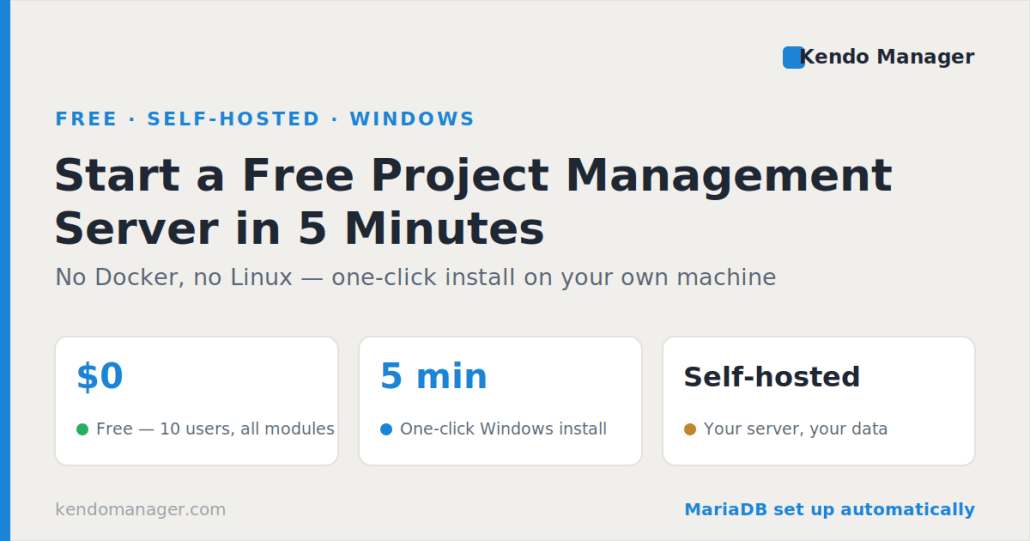
Yes — you can have a free project management server running on your own Windows machine in about five minutes, without Docker, Linux, or a database administrator. A free project management server means self-hosted software that you install and own, not a limited free plan on someone else’s cloud. Kendo Manager’s free version covers 10 users and one active project with every module included, and its installer sets up the MariaDB database and the application for you. This guide explains what a free project management server is, what it runs on, and the exact five-step setup.
What is a free project management server?
A free project management server is project management software you host on your own computer or server at no cost, instead of subscribing to a vendor’s cloud. The distinction matters. Most tools marketed as “free” are hosted free tiers on platforms like Trello, Asana, or ClickUp, where your data sits on the vendor’s servers and the free plan is a capped entry point meant to push you toward a paid subscription.
A self-hosted server flips that around. Every project, file, and user record stays on infrastructure you control, you decide who can reach it, and there is no per-seat monthly bill. For teams with data-sovereignty or GDPR requirements, that control is the main reason to run a server rather than a cloud account.
Is a free project management server really free?
Yes. Kendo Manager offers a genuinely free version for up to 10 users and one active project, with all application modules included rather than a stripped-down subset. The database it runs on, MariaDB, is open source and free as well, so there is no hidden licensing cost underneath. The only thing you supply is a Windows machine to run it on.
There is a paid upgrade path when you grow past 10 users or need more than one active project, but nothing about the free version expires or nags you into paying. You can run a small team on it indefinitely.
What do you need to run a free project management server?
Running a free project management server takes modest hardware: a dual-core processor and 2 GB of RAM are enough for a small team. This is where a Windows-based server stands apart from most open-source options, which expect Docker, a separate PostgreSQL database, 8 GB or more of RAM, and server-administration skills. Kendo Manager needs the following:
- Operating system: Windows 10, Windows 11, or Windows Server
- Database: MariaDB 10.1 to 10.6 (installed automatically by the setup)
- Web server: IIS
- Framework: .NET Framework 4 or later
- Hardware: dual-core processor, 2 GB RAM
You can install it on an existing Windows server, a Windows VPS, or an ordinary Windows 10 or 11 workstation on your local network. If you would rather not run your own machine at all, Kendo hosting is an option.
How do you start a free project management server in 5 minutes?
A free project management server can be running in about five minutes with a single installer. The Kendo Manager setup prepares the required components, configures the MariaDB database, installs the application, creates a desktop shortcut, and opens the tool in your browser automatically. The default login is admin / admino, which you change after the first sign-in.
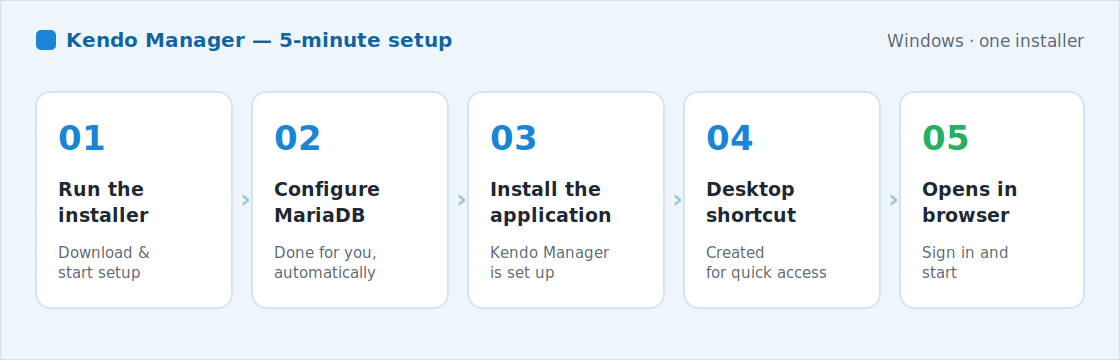
The five steps the installer runs through are:
- Download and run the Kendo Manager installer.
- The installer prepares components and configures the MariaDB database.
- The application is installed on your machine.
- A desktop shortcut is created.
- The tool opens in your browser, ready to sign in.
If you prefer to control each step by hand, the full path for Windows, IIS, and MariaDB is written out in the Kendo Manager Installation guide for Windows.
What can you do once the server is running?
Once the server is running you get a full project management suite, not a bare task list. The free version includes interactive Gantt charts, Kanban boards, task management, resource management, cost and budget control, time tracking, issue tracking, risk management, change management, milestones, document storage, and reporting.
Both classic waterfall scheduling and agile boards with sprints run in the same install, so a team can plan the way it already works. A single dashboard, called the Dojo, shows every active project, its risks, changes, key events, costs, and time in one view. The interface is available in eight languages — English, German, Spanish, Italian, Slovenian, Serbian, Croatian, and Bosnian — and the software is GDPR-ready with role-based permissions. The complete module list is on the Features page, and background on the deployment model is on the self-hosted project management software page.
Free self-hosted server vs free cloud plan
The difference between a free self-hosted server and a free cloud plan comes down to ownership and limits. A cloud free tier is quick to sign up for but keeps your data with the vendor and caps features to nudge you toward a subscription. A self-hosted server asks for a five-minute install and gives you the whole toolset on your own infrastructure.
When should you upgrade from the free version?
You should upgrade when you outgrow 10 users or need more than one active project. Paid packages are one-time purchases rather than subscriptions, and each one covers unlimited projects plus a year of upgrades and support.
Every paid package covers unlimited projects, and the full list is on the Kendo Manager prices page. You can test the complete product before paying through the free trial. If you are comparing against specific tools, the self-hosted project management software alternative hub sets Kendo Manager next to Jira, Trello, OpenProject, and ClickUp.
Frequently asked questions
Is there a completely free project management server?
Yes. Kendo Manager’s free version runs on your own Windows machine for up to 10 users and one active project, with all modules and no time limit. MariaDB, the database it uses, is open source and free as well.
Do I need Linux or Docker to self-host it?
No. Kendo Manager installs on Windows 10, 11, or Server with a single installer. It does not require Linux, Docker, or a separate database server; MariaDB is configured automatically during installation.
How long does setup take?
About five minutes. The installer prepares components, configures MariaDB, installs the application, creates a shortcut, and opens it in your browser. A detailed manual path for Windows, IIS, and MariaDB is also documented.
Is my data private on a self-hosted server?
Yes. All project data stays on your own machine or server, so you control security, backups, and access. Kendo Manager is GDPR-ready, which suits teams with data-sovereignty requirements.
Can I use it without an internet connection?
Yes. Because the server runs on your own infrastructure, it works on a local network without external internet, as long as users can reach the machine.
What happens when my team grows?
You buy a one-time license for more users and unlimited projects. Packages range from Startup for 10 users to Professional for unlimited users, each covering unlimited projects and a year of upgrades and support.
Sources
- MariaDB Foundation — MariaDB open-source database (licensing and adoption).
- Plane — guide to self-hosted project management (typical Docker, Linux, and RAM requirements of open-source tools).

