
Is Self-Hosted Project Management Software More Secure Than Cloud, and Which Features Protect Your Data in 2026?
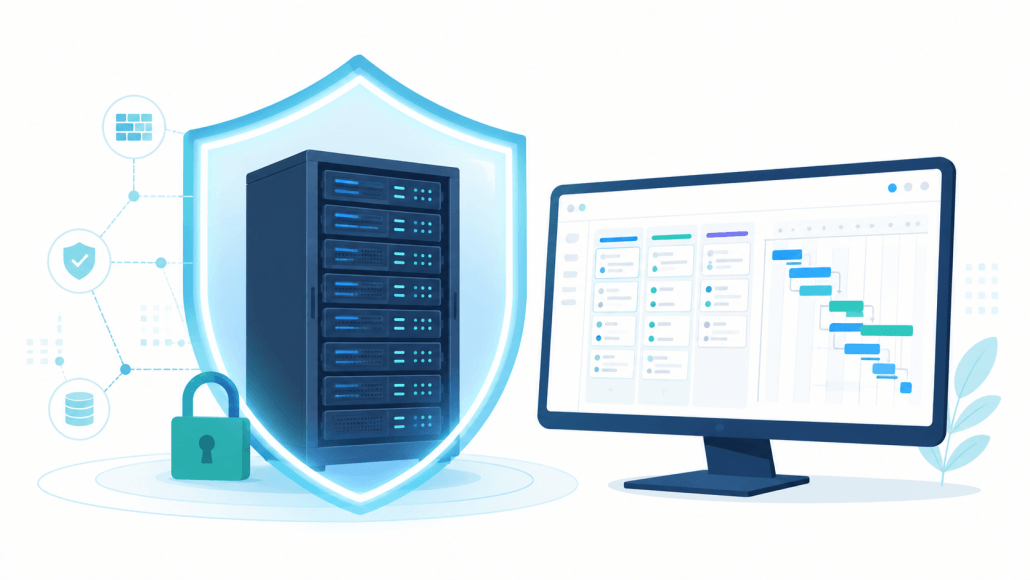
Self-hosted project management software changes where your security risk sits rather than automatically removing it: it takes the third-party vendor out of your data path, but moves responsibility for patching, monitoring, and backups onto your own team. When the project database and file attachments live on hardware you control, no outside processor can read, copy, or lose your data through a breach of their systems — but the trade is that your own configuration now decides how safe the data is.
This distinction matters because the honest answer to “is self-hosting more secure?” is “it depends on who runs it.” The global average cost of a data breach reached $4.88 million in 2024 according to IBM’s Cost of a Data Breach Report, which is exactly why the deployment decision deserves more than a slogan. This guide explains why on-premise deployment works as a security control, the security features to verify before you buy, how the model maps to common compliance standards, and where Kendo Manager fits.
Is self-hosted project management more secure than cloud?
Self-hosted and cloud project management create different risk profiles rather than one being universally safer: self-hosting reduces vendor exposure and tightens data custody, while cloud shifts patching and monitoring to a provider but widens your dependency chain. A cloud tool concentrates thousands of customers on shared infrastructure, so a single provider incident can expose many tenants at once; an on-premise install means an intruder has to breach your network first, not one popular endpoint that already holds everyone’s records. Which model is safer in practice depends more on operational maturity — whether your team actually patches, monitors, and backs up — than on the deployment philosophy itself.
How does on-premise deployment work as a security control?
On-premise deployment works as a security control by removing the third-party processor from the data path entirely, so the data boundary matches your existing network perimeter instead of extending into a vendor’s cloud. Under a SaaS model, security runs on shared responsibility — you configure access while the vendor secures the infrastructure and holds your data. A self-hosted install collapses that split: the database, the file attachments, the encryption keys, and the audit log all sit inside a boundary you already defend.
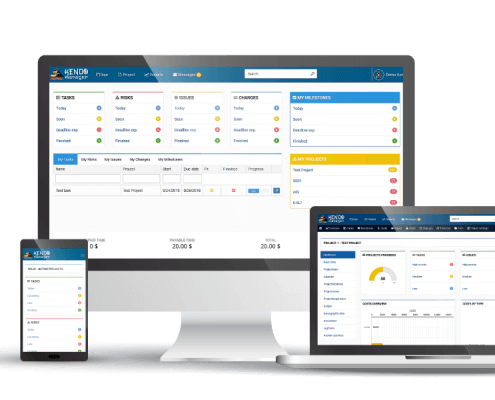
For Kendo Manager, that boundary is a Windows Server, a Windows 10 or 11 workstation, a Windows VPS, or a Microsoft Azure virtual machine you control — so the audit trail of who accessed what never leaves your own environment.
Which 7 security features should you verify before buying?
Before buying any self-hosted project management tool, verify seven controls that determine how well it protects data once it is inside your perimeter. These are the features that separate a genuinely defensible install from one that simply moved the risk in-house without addressing it.
| Security feature | Why it matters |
|---|---|
| Role-based access control | Limits each user to the projects and data their role needs |
| Audit log | Records who accessed or changed what, inside your own boundary |
| Encrypted connections (HTTPS/SSL) | Protects data in transit between browser and server |
| Database-level control | Lets your DBA apply your own backup and encryption policy |
| Self-managed backups | Recovery point and retention are set by you, not a vendor |
| On-premise authentication | Integrates with your existing directory and password policy |
| Update control | You decide when to patch, with no forced vendor-side change |
What is the difference between the SaaS shared-responsibility model and self-hosting?
The SaaS shared-responsibility model splits security between you and the vendor — you manage users and permissions while the vendor secures the servers and stores the data — whereas self-hosting puts the entire chain under one owner. That single ownership is an advantage for control and a burden for effort: nobody else patches your server, but nobody else can be breached to expose your records either.
| Responsibility | Cloud SaaS | Self-hosted |
|---|---|---|
| Data location | Vendor’s cloud | Your server |
| Infrastructure patching | Vendor | Your team |
| Breach exposure | Shared, multi-tenant | Isolated to your network |
| Encryption keys | Held by vendor | Held by you |
| Audit log location | Vendor platform | Inside your perimeter |
How does self-hosting map to compliance standards?
Self-hosting supports common compliance regimes by keeping data inside a boundary you can document and audit, though it never delivers compliance on its own — that still depends on your own controls. GDPR does not require EU data to stay in the EU, but it restricts transfers outside the EEA, so removing cross-border transfer and third-party processors makes the compliance story simpler to defend (Secure Privacy, 2026). For regulated sectors, the value is control: you decide access, encryption, and breach response rather than inheriting a vendor’s posture (ONES, 2026).
| Standard | What self-hosting helps with | Still your responsibility |
|---|---|---|
| GDPR | No cross-border transfer, no third-party processor | Access control, encryption, breach reporting |
| HIPAA (healthcare) | Data stays inside your controlled environment | Safeguards, access logging, staff training |
| Sector rules (finance/defence) | On-premise residency by design | Documented controls and audits |
The data-residency side is covered in more depth on our on-premise project management software page.
Does self-hosting mean more security work for a small team?
Self-hosting does add patching and backup duties, but the operational load depends heavily on the tool — a tool that installs on Windows without Docker, Linux, or a separate database server keeps that load small. Kendo Manager runs on IIS and the free MariaDB database, both hosted on a Windows machine you already maintain, so securing it mostly means applying the Windows updates and backup routine your IT already runs, rather than learning a new stack.
For the full category overview, see our guide to self-hosted project management.
Frequently asked questions
Is self-hosted project management automatically more secure?
No — self-hosting removes vendor-side breach exposure and gives you full data custody, but it shifts patching, monitoring, and backups to your team, so the real security level depends on how well your own environment is maintained. It changes the risk profile rather than guaranteeing a safer one.
Where is my data stored with a self-hosted tool?
With a self-hosted tool your data stays on hardware you control — a Windows Server, a workstation, a Windows VPS, or an Azure VM in your own tenant — and never leaves that boundary. The database, file attachments, and audit log all sit inside your existing network perimeter.
Does self-hosting help with GDPR compliance?
Self-hosting makes GDPR compliance simpler by removing cross-border transfers and third-party processors, though GDPR does not require EU data to physically stay in the EU. Full compliance still depends on your own access controls, encryption, and breach-response procedures.
Who is responsible for security updates in a self-hosted install?
Your own team is responsible for applying security updates in a self-hosted install, which is the main trade-off against SaaS. With Kendo Manager running on IIS and MariaDB, that usually folds into the Windows update and backup routine your IT already performs.
Can a self-hosted tool keep an audit trail?
Yes — a self-hosted project management tool keeps its audit trail inside your own environment, recording access and changes on a server you control rather than on a vendor platform. That keeps access history within the same boundary as the data it describes.

