
Self-Hosted Project Management Software: What Are the 7 Best Tools, 5 Deployment Models, and Real Enterprise Costs in 2026?

Best Self-Hosted Project Management Software
Self-hosted project management software is an on-premise or private cloud solution installed directly on a company’s infrastructure, providing complete control over data security, privacy, and regulatory compliance. According to Polaris Market Research, the self-hosted cloud platform market is projected to grow at a CAGR of 11.9% from 2026 to 2034, reaching $18.07 billion by 2025 [1]. This guide covers 7 self-hosted tools, 5 deployment models, and 4 enterprise case studies demonstrating how organizations maintain data sovereignty while managing complex workflows.
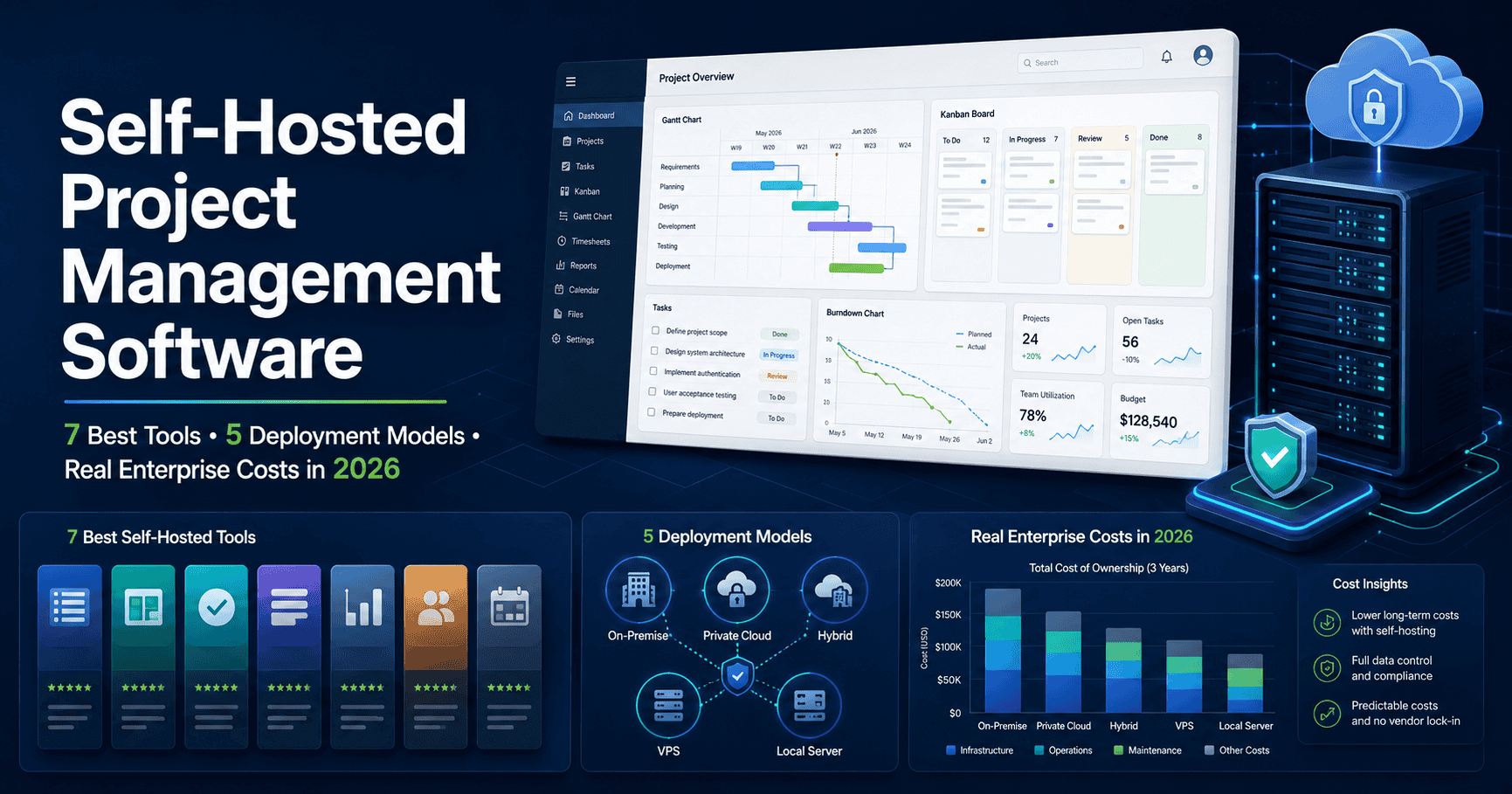
What Is Self-Hosted Project Management Software and Why Does It Matter in 2026?
Self-hosted project management software is a centralized information system deployed on private servers or dedicated cloud infrastructure, ensuring that all project data, resources, and communications remain entirely within the organization’s controlled perimeter. The primary advantage of self-hosting is the absolute elimination of third-party data access, which is critical for organizations operating under strict regulatory frameworks.
The global average cost of a data breach reached $4.88 million in 2024, representing a significant increase over previous years according to the IBM Cost of a Data Breach Report [2]. This financial risk, combined with the increasing complexity of cloud-based supply chains, has driven a massive resurgence in on-premise deployments. Self-hosted solutions like Kendo Manager provide enterprise-level features—including task management, resource allocation, cost tracking, and risk analysis—without exposing sensitive intellectual property to multi-tenant SaaS environments.
Why Are Enterprises Moving Away from Cloud-Only Project Management?
Enterprises are moving away from cloud-only project management because multi-tenant SaaS platforms introduce unacceptable risks regarding data sovereignty, vendor lock-in, and unpredictable pricing models. The transition is driven by three primary factors: regulatory compliance, infrastructure control, and the sunsetting of legacy on-premise tools.
How Does Data Sovereignty Impact Software Choices?
Data sovereignty impacts software choices by legally requiring organizations to store and process data within specific geographic boundaries or under specific jurisdictional controls. Gartner predicts that more than 75% of enterprises outside the United States will have a digital sovereignty strategy by 2030 [3]. When using multi-tenant SaaS, data often traverses international borders, complicating compliance with regulations like the General Data Protection Regulation (GDPR) in Europe or the Health Insurance Portability and Accountability Act (HIPAA) in the US. Self-hosted project management software guarantees that data never leaves the designated server, simplifying compliance audits and eliminating cross-border data transfer risks.
What Are the Risks of Vendor Lock-In and Forced Migrations?
The risks of vendor lock-in include forced migrations, unexpected price increases, and the sudden deprecation of critical features. The most prominent example is Atlassian’s decision to end support for Jira Server in February 2024, forcing thousands of organizations to either migrate to the expensive Data Center edition (starting at approximately $42,000/year for 500 users) or move to the cloud [4]. This event highlighted the vulnerability of relying on vendors who prioritize cloud revenue over on-premise support. Self-hosted solutions built on open standards, such as Kendo Manager utilizing the MariaDB database, ensure that organizations retain permanent access to their data and infrastructure, regardless of the vendor’s future business decisions.
How Do Security Postures Differ Between SaaS and On-Premise?
Security postures differ significantly because SaaS environments operate on a shared responsibility model, whereas on-premise deployments grant the organization total control over the security perimeter. In a SaaS model, the vendor manages infrastructure security, but the customer remains responsible for access management and data classification. A misconfiguration in a SaaS application can instantly expose sensitive data to the public internet. Conversely, self-hosted project management software sits behind the corporate firewall, often within an airgapped network, making it virtually immune to external web-based attacks unless the internal network itself is compromised. This isolation is mandatory for defense contractors, financial institutions, and healthcare providers.
What Are the 7 Best Self-Hosted Project Management Tools in 2026?
The 7 best self-hosted project management tools in 2026 are Kendo Manager, Plane, OpenProject, Redmine, Microsoft Project Server, Leantime, and Taiga. Each tool offers distinct advantages depending on the organization’s size, technical expertise, and specific workflow requirements.
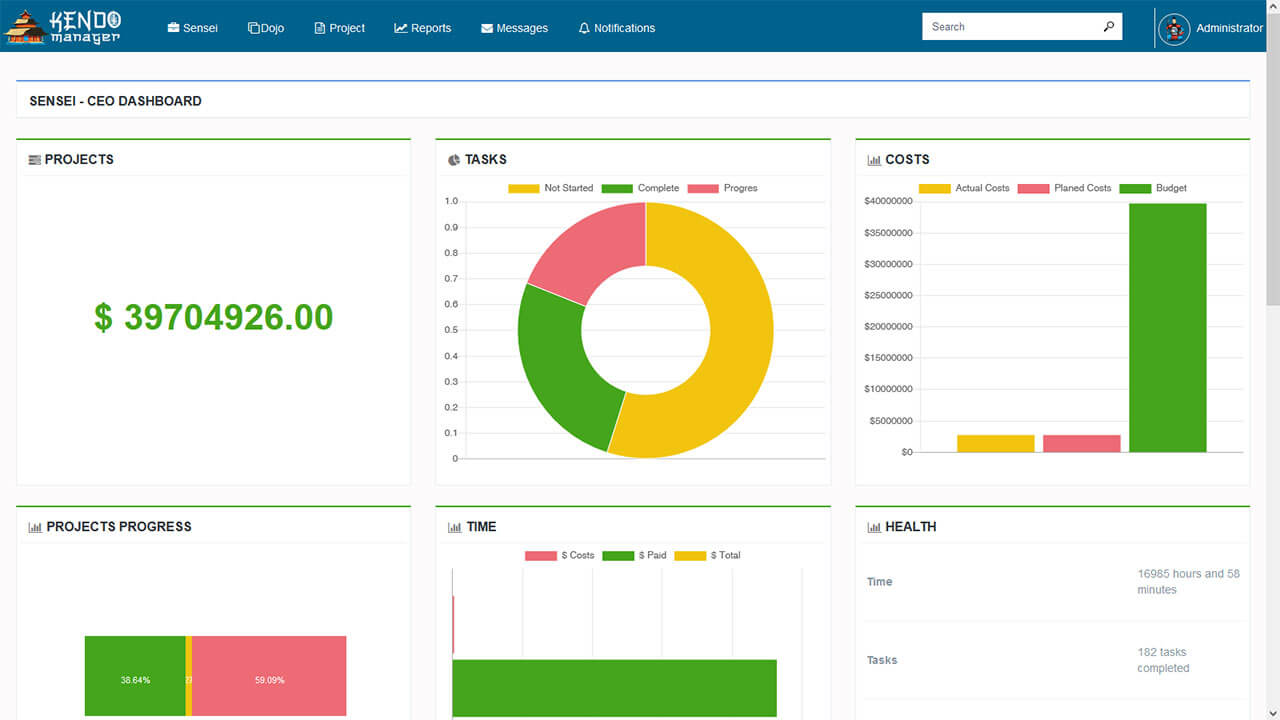
What Makes Kendo Manager the Most Complete Self-Hosted Solution?
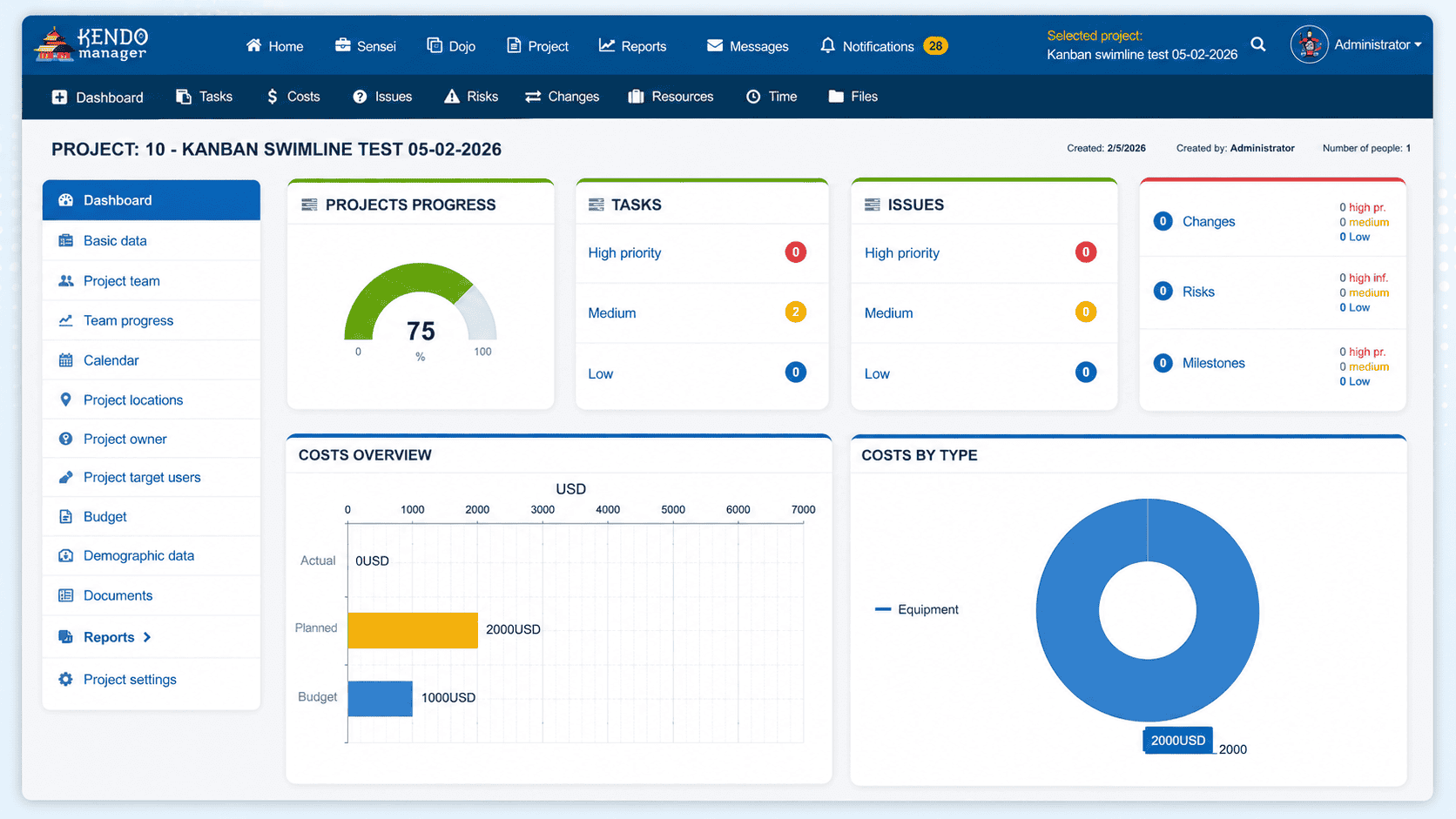
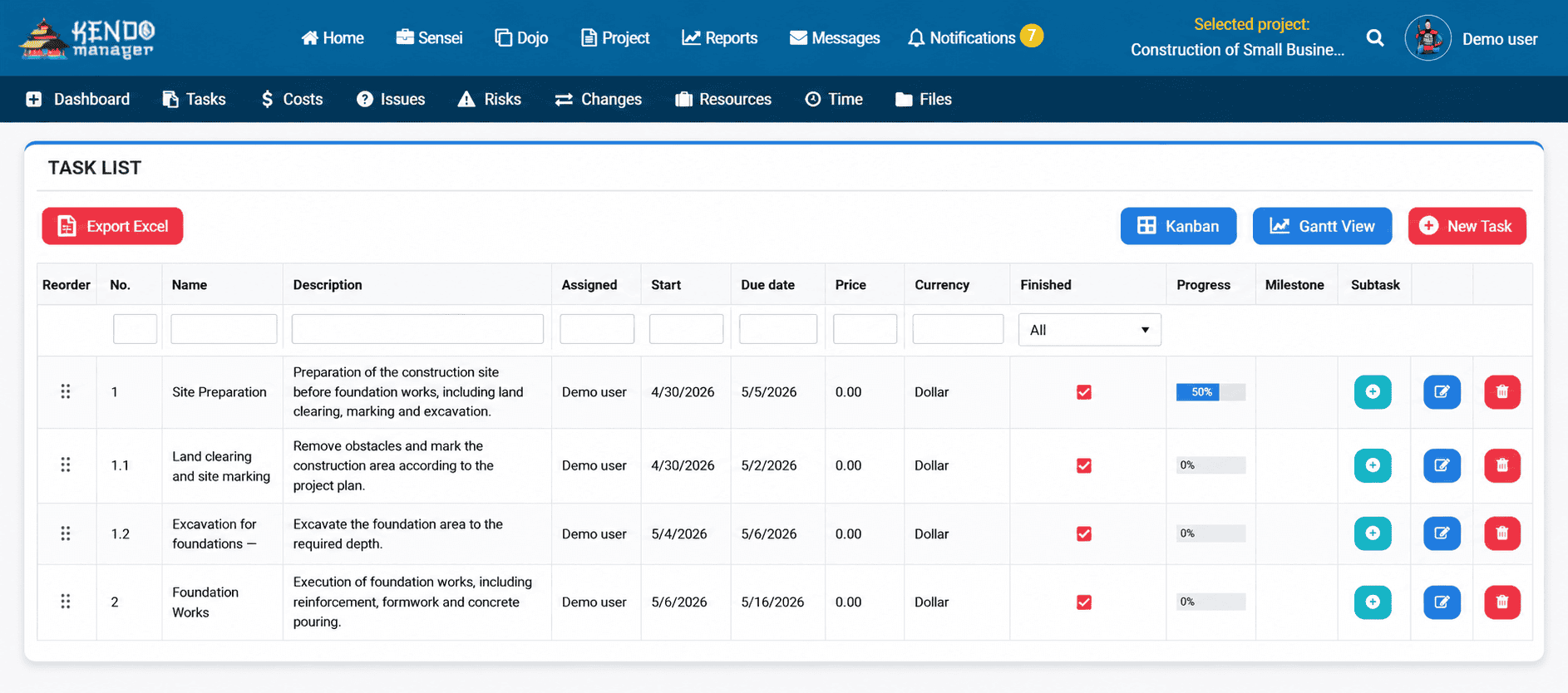
Kendo Manager is the most complete self-hosted project management solution because it provides a comprehensive suite of enterprise features—including interactive Gantt charts, Kanban boards, resource management, and cost tracking—without requiring expensive per-user licensing or complex technical setups. Built on Microsoft .NET technology and utilizing the free, open-source MariaDB database, Kendo Manager can be installed on any Windows Web Server, VPS, or even a standard Windows 10 PC.
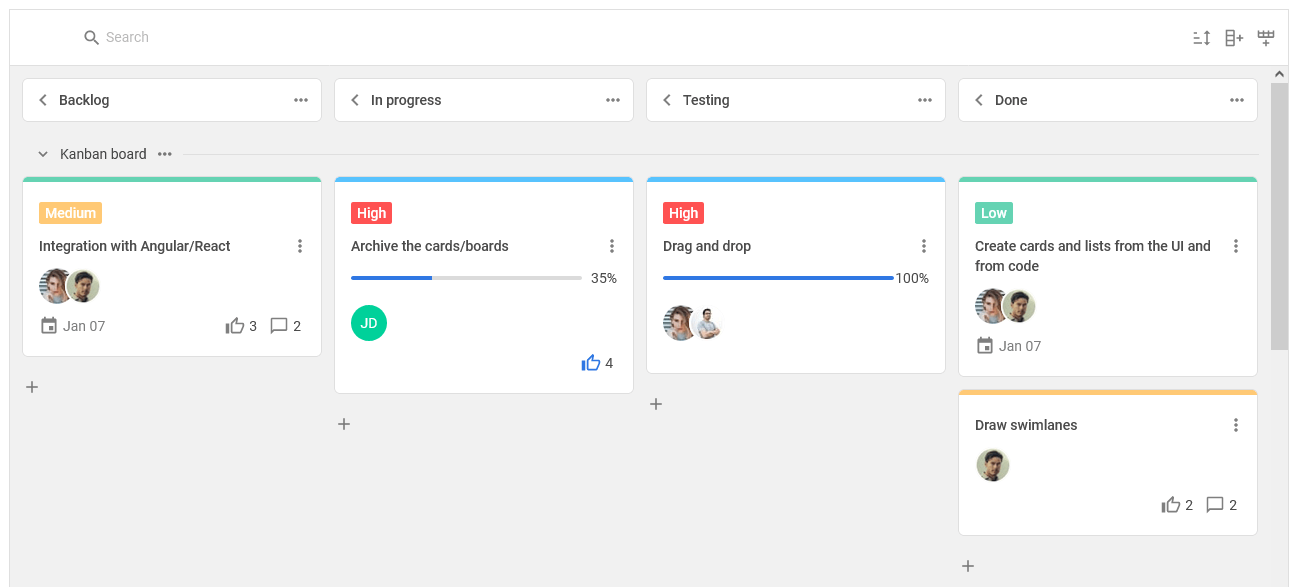
Unlike competitors that charge extra for essential modules, Kendo Manager includes all tools in every pricing package. This approach eliminates hidden costs and simplifies budget forecasting. The software supports both Waterfall and Agile methodologies, making it highly adaptable for diverse teams. Furthermore, Kendo Manager offers a robust free version for small teams and startups, which includes up to 5 Kanban boards and 3 active projects on the Gantt chart. With over 2,000 downloads and high ratings on platforms like Capterra and TrustRadius, it has proven its reliability in production environments.
| Feature Category | Kendo Manager Capabilities |
|---|---|
| Task Management | Task lists, Kanban boards, Interactive Gantt charts |
| Financial Control | Cost reporting, Budgeting, Resource allocation |
| Risk & Quality | Issue tracking, Risk management, Change management |
| Infrastructure | Windows Server, VPS, Windows 10, MariaDB |
| Licensing | Flat pricing, Unlimited projects, No per-user fees |
Where Does Plane Fit in the Self-Hosted Landscape?
Plane fits in the self-hosted landscape as a modern, open-source alternative to Jira, specifically designed for software development teams and product managers. Launched in 2023, Plane has rapidly gained traction (over 31,000 GitHub stars) due to its clean interface and robust issue-tracking capabilities. It offers features like Cycles (sprints), Modules, and Pages (wiki), making it an excellent choice for Agile teams.
Plane’s self-hosting experience is streamlined, requiring only a single-line command for Docker or Kubernetes deployments. It maintains 100% feature parity between its cloud and self-hosted editions. However, Plane is heavily optimized for software engineering workflows, which may make it less suitable for traditional project management scenarios like construction, manufacturing, or general business operations that rely heavily on traditional Gantt charts and strict Waterfall methodologies.
How Does OpenProject Compare for EU-Based Teams?
OpenProject compares favorably for EU-based teams because it is developed in Germany and strictly adheres to European data protection standards, making it a natural choice for GDPR compliance. It offers a comprehensive set of traditional project management features, including issue tracking, time management, and project wikis.
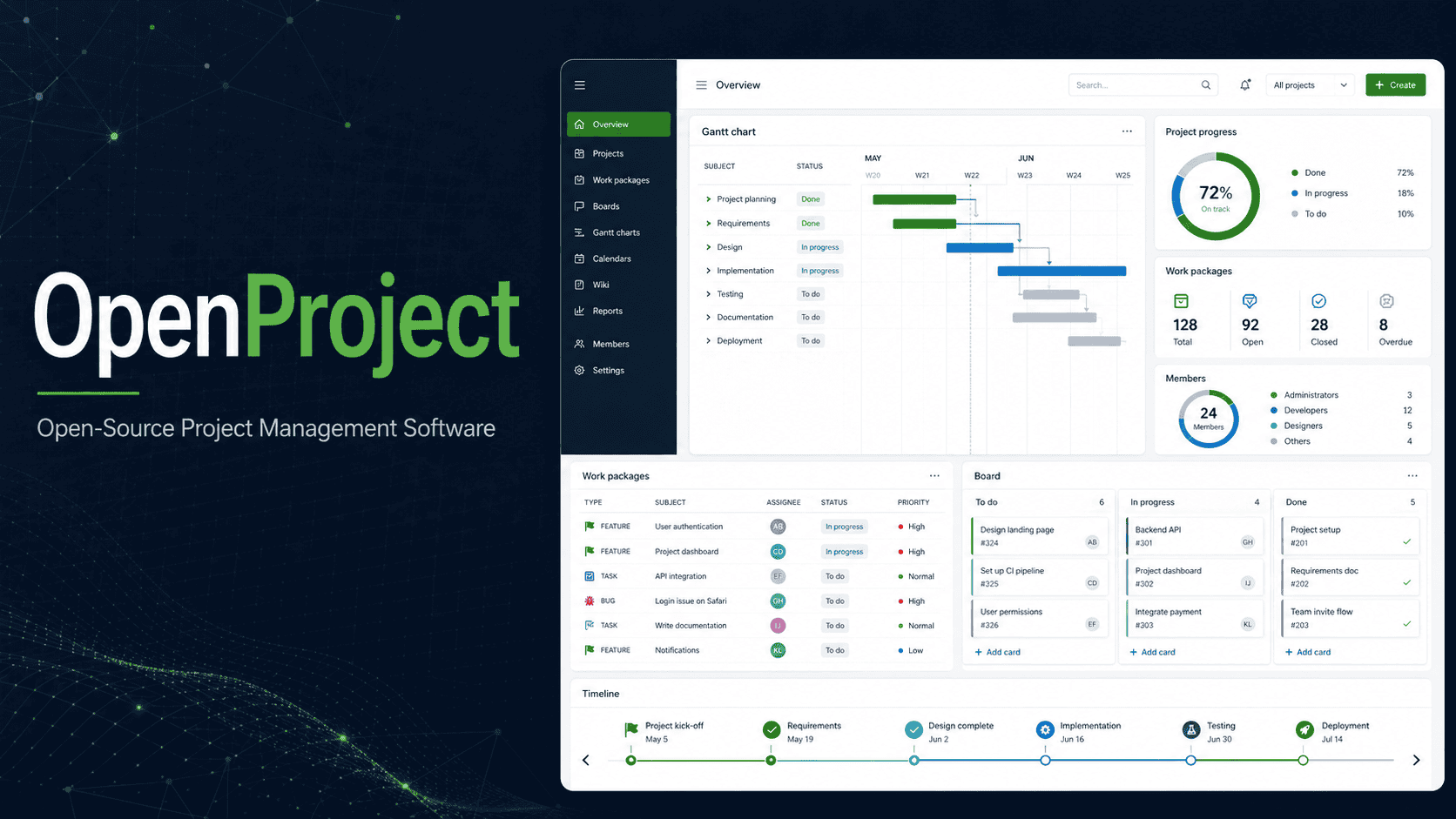
While OpenProject is powerful, its interface can feel dated compared to modern alternatives, and its learning curve is steep. The Community Edition is free and open-source (GPL 3.0), but many essential enterprise features—such as advanced Gantt charts, two-factor authentication, and LDAP synchronization—are locked behind the paid Enterprise Edition. Additionally, self-hosting OpenProject requires significant technical expertise, particularly in managing Ruby environments and PostgreSQL databases.
What Happened to Jira Server and What Are Your Options Now?
Jira Server reached its official end of life in February 2024, meaning Atlassian no longer provides technical support, security updates, or bug fixes for the platform [4]. Organizations still running Jira Server face severe security risks and compliance violations. The available options are migrating to Jira Data Center (which is prohibitively expensive for many mid-sized companies), migrating to Jira Cloud (which compromises data sovereignty), or migrating to a self-hosted alternative like Kendo Manager or Plane.
For organizations requiring strict on-premise control without the massive overhead of Jira Data Center, migrating to a dedicated self-hosted alternative is the only viable path forward. Tools like Kendo Manager offer built-in import capabilities to facilitate this transition, ensuring that historical project data, tasks, and resources are preserved.
When Should You Consider Redmine for Legacy Environments?
You should consider Redmine for legacy environments when your organization has deep expertise in Ruby on Rails and requires a highly customizable, traditional issue-tracking system. Redmine is a veteran in the open-source project management space, offering robust basic features and a massive ecosystem of community-developed plugins.
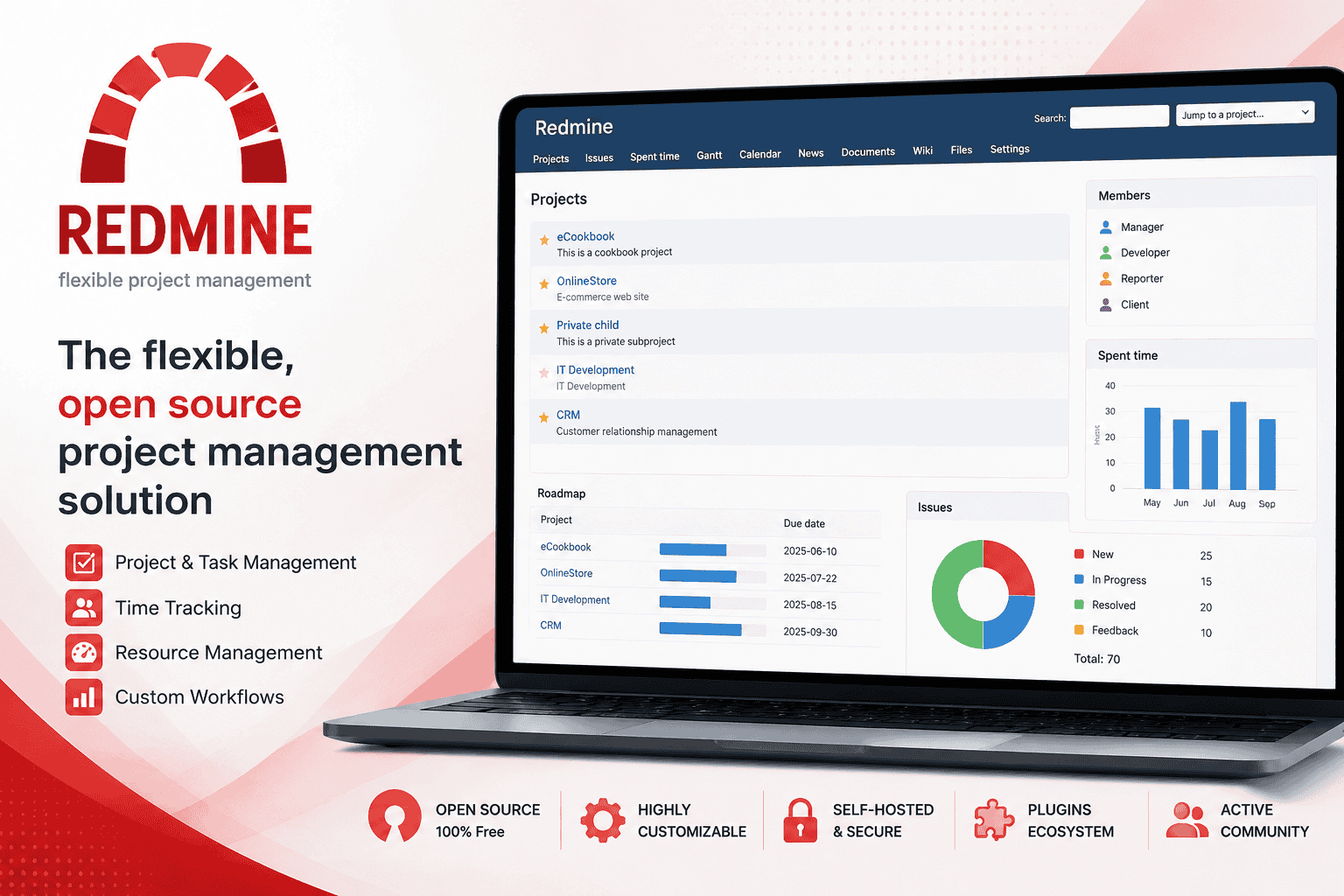
However, Redmine’s architecture and user interface are significantly outdated. The platform relies on full-page reloads for almost every action, lacking the real-time responsiveness expected from modern software. Furthermore, maintaining a Redmine instance requires dedicated technical resources to manage database configurations, plugin compatibility, and server restarts. It is entirely free (GPL v2), but the hidden costs of maintenance and custom development often outweigh the initial savings.
How Does Microsoft Project Server Handle Enterprise Deployments?
Microsoft Project Server handles enterprise deployments by offering an exhaustive, highly complex suite of portfolio and project management tools deeply integrated with the Microsoft ecosystem (SharePoint, SQL Server, Azure Active Directory). It is designed for organizations at the highest level of project management maturity, capable of handling complex dependencies, resource leveling across thousands of projects, and intricate permission structures.
The drawback of Microsoft Project Server is its immense complexity and total cost of ownership. Deploying it requires substantial infrastructure (multiple high-RAM servers for SharePoint and SQL) and deep technical expertise. Licensing is notoriously complicated, requiring separate licenses for the server, SharePoint, SQL Server, and individual Client Access Licenses (CALs) for every user. It is generally only suitable for massive enterprises with dedicated IT departments and substantial budgets.
What Does Taiga Offer for Developer-Focused Teams?
Taiga offers developer-focused teams a highly opinionated, Agile-centric project management platform. It excels in providing straightforward Scrum and Kanban boards, making it popular among lean software development teams. Taiga includes built-in team chat and basic time tracking, focusing on simplicity and developer experience.
The self-hosting experience for Taiga, however, can be challenging. It requires deploying separate Python backend and Angular frontend services, managing a PostgreSQL database, and configuring RabbitMQ for asynchronous tasks. While it is excellent for its specific niche, Taiga lacks the comprehensive reporting, advanced Gantt charts, and financial tracking features required by non-technical teams or PMOs.
How Does Self-Hosted Deployment Compare Across 5 Infrastructure Models?
Self-hosted deployment compares across 5 infrastructure models based on the level of control, maintenance overhead, and scalability required by the organization. Choosing the right model is as critical as choosing the software itself.
- On-Premise Bare Metal: The software is installed directly on physical servers located within the company’s facilities. This model offers the absolute highest level of security and data sovereignty, making it ideal for airgapped environments in defense or critical infrastructure. However, it requires significant upfront capital expenditure and dedicated IT staff for hardware maintenance.
- Private Cloud (Virtual Machines): The software runs on virtualized servers within a corporate data center. This provides excellent security while allowing for better resource utilization and easier backups compared to bare metal. Kendo Manager excels in this environment, easily deploying on standard Windows Server VMs.
- Virtual Private Server (VPS): The organization rents a dedicated virtual server from a hosting provider (e.g., DigitalOcean, Linode). While the physical hardware is managed by a third party, the organization retains full root access and control over the operating system and application data. This is a cost-effective middle ground for mid-sized companies.
- Containerized Deployment (Docker/Kubernetes): The application is packaged into containers, ensuring consistency across different environments. This model is highly scalable and allows for rapid deployment and updates. Tools like Plane are built specifically for this model, though it requires specialized DevOps expertise to manage orchestration.
- Managed Hosting (Platform as a Service): A third-party provider manages the infrastructure, operating system, and application updates, but the instance is dedicated entirely to one organization (single-tenant). This offers the convenience of SaaS while maintaining data isolation, though it sacrifices some granular control.
What Compliance Frameworks Does Self-Hosted Project Management Address?
Self-hosted project management addresses compliance frameworks by ensuring that data processing and storage mechanisms align with strict legal and industry-specific regulations. By maintaining physical and logical control over the data, organizations can definitively prove where their data resides and who has access to it.
General Data Protection Regulation (GDPR)
For companies operating in or serving citizens of the European Union, GDPR mandates strict controls over personal data. Self-hosting ensures that data does not inadvertently cross borders into non-compliant jurisdictions. Kendo Manager is explicitly designed to be GDPR-ready, providing the necessary audit trails and data deletion capabilities required by the regulation. Learn more about Kendo Manager’s features for compliance.
Health Insurance Portability and Accountability Act (HIPAA)
In the US healthcare sector, HIPAA requires the protection of Protected Health Information (PHI). Multi-tenant SaaS platforms often struggle to provide the necessary Business Associate Agreements (BAAs) or guarantee data isolation. Self-hosting allows healthcare providers to implement their own encryption, access controls, and network security measures to ensure full HIPAA compliance.
ISO 27001 and SOC 2
These frameworks require organizations to demonstrate robust information security management systems. While SaaS vendors may hold these certifications for their platforms, the customer is still responsible for how they use the software. Self-hosting allows organizations to extend their existing ISO 27001 or SOC 2 certified infrastructure policies directly to their project management tools, simplifying the audit process.
How Do Real Organizations Use Self-Hosted Project Management? (Case Studies)
Real organizations use self-hosted project management to solve complex operational challenges where cloud solutions fall short. The following case studies demonstrate how Kendo Manager has been successfully deployed across various highly regulated sectors.
How Did a European Development Bank Manage Multi-Platform Projects with Self-Hosted Tools?
The European Bank for Reconstruction and Development (EBRD) required a secure, centralized system to manage the development of an entrepreneurial portal Government of the RS and associated mobile applications. Given the sensitive financial and strategic data involved, a public cloud solution was deemed too risky. By deploying Kendo Manager on private infrastructure, the Company, EBRD and Government of the RS successfully coordinated multiple development teams, tracked project costs in real-time, and maintained strict data confidentiality throughout the software development lifecycle.
Why Did TÜV Rheinland Middle East Choose On-Premise Project Management?
TÜV Rheinland, a global leader in independent testing, inspection, and certification services, operates under stringent confidentiality agreements with its clients. The Middle East division needed a project management solution that could handle complex certification workflows without exposing client data to external servers. Kendo Manager’s self-hosted architecture provided the necessary security guarantees, allowing TÜV Rheinland to manage resources and track issues while adhering to their rigorous internal compliance standards.
How Do Local Governments Achieve Compliance with Self-Hosted Software?
Local government administrations handle vast amounts of sensitive citizen data and public infrastructure plans. They are often legally mandated to keep data within national borders. Several local municipalities have adopted Kendo Manager because it allows them to deploy the software on their existing Windows Server infrastructure. This ensures that all project communications, budgets, and timelines remain under the direct jurisdiction of the local government, fully compliant with national data sovereignty laws.
What Drives Banking Institutions in the US and Australia to Self-Host?
Financial institutions in the US and Australia face intense regulatory scrutiny regarding data privacy and cybersecurity. Banks in these regions utilize Kendo Manager to manage internal IT projects, compliance audits, and infrastructure upgrades. The ability to integrate Kendo Manager with their existing on-premise Active Directory and maintain complete control over the MariaDB database ensures that no financial data or strategic project information is ever exposed to third-party cloud vulnerabilities.
What Is the True Cost of Self-Hosted vs. SaaS Project Management?
The true cost of self-hosted vs. SaaS project management reveals that while SaaS appears cheaper initially, self-hosting becomes significantly more cost-effective at scale. SaaS pricing models are typically based on a per-user, per-month subscription. As an organization grows, these costs compound exponentially.
For example, a typical enterprise SaaS project management tool might cost $25 per user per month. For a team of 100 users, this equates to $30,000 annually. If the team grows to 500 users, the cost balloons to $150,000 annually.
In contrast, self-hosted solutions like Kendo Manager utilize a flat-fee licensing model. The organization pays a one-time license fee (or a much lower annual maintenance fee) regardless of the number of users. While there are infrastructure costs associated with self-hosting (e.g., server hardware, electricity, IT staff time), these costs are largely fixed. A Windows Server VM capable of running Kendo Manager for 500 users might cost $2,000 annually in infrastructure overhead. The total cost of ownership (TCO) over a three-year period heavily favors the self-hosted model, often resulting in savings of 60% to 80% for mid-sized to large enterprises.
How to Migrate from Jira Server or Cloud to a Self-Hosted Alternative?
Migrating from Jira Server or Cloud to a self-hosted alternative requires a structured approach to ensure data integrity and minimize operational downtime. The migration process generally follows four key phases: Assessment, Export, Import, and Validation.
- Assessment: Identify all active projects, custom workflows, user roles, and critical integrations currently used in Jira. Determine which historical data must be migrated and which can be archived.
- Export: Utilize Jira’s built-in export tools to extract project data. For Jira Server, this often involves generating XML backups or exporting specific project data to CSV formats. Ensure that attachments and comments are included in the export payload.
- Import: Prepare the target self-hosted environment. Kendo Manager provides straightforward import mechanisms designed to map legacy data structures to its modern database schema. This involves mapping Jira issue types to Kendo tasks, assigning users to their respective roles, and importing historical timelines into the Gantt chart engine.
- Validation: Conduct a pilot migration with a single, non-critical project. Verify that all tasks, dependencies, and files have transferred correctly. Once validated, schedule a cutover window (typically over a weekend) to perform the final migration and redirect users to the new system.
What Should You Look for When Choosing Self-Hosted Project Management Software?
When choosing self-hosted project management software, you should look for a platform that balances enterprise-grade features with ease of deployment and maintenance. The ideal solution must align with your organization’s technical capabilities and strategic goals.
First, evaluate the infrastructure requirements. Does the software require a complex stack of multiple databases and microservices, or can it run on a standard Windows Server environment like Kendo Manager? Second, assess the feature completeness. Ensure the tool includes essential capabilities like interactive Gantt charts, resource management, and cost tracking natively, without requiring third-party plugins. Third, consider the licensing model. Avoid solutions that impose per-user fees even on self-hosted deployments; look for flat-rate or unlimited user licenses. Finally, verify the compliance capabilities. The software must provide the necessary audit logs, access controls, and data encryption standards required to meet your industry’s regulatory frameworks.
In 2026, the shift back to self-hosted project management software is not a regression; it is a strategic imperative for organizations prioritizing data sovereignty, security, and predictable costs. While multi-tenant SaaS solutions offer convenience, they introduce unacceptable risks for regulated industries and enterprises managing sensitive intellectual property.
Tools like Kendo Manager demonstrate that organizations do not have to sacrifice modern features or user experience to maintain control over their data. By offering a comprehensive suite of project management tools—from Kanban boards to advanced cost reporting—on a secure, on-premise architecture, Kendo Manager provides a robust, cost-effective alternative to both legacy systems like Jira Server and expensive cloud-only platforms. Whether you are a local government municipality, a global financial institution, or a growing startup, self-hosting remains the most definitive way to protect your most valuable asset: your project data.
Deep Dive: How Self-Hosted Project Management Supports Agile and Waterfall Methodologies
One of the most critical aspects of choosing a project management tool is its ability to adapt to your team’s preferred working methodology. While some tools force you into a specific paradigm, the best self-hosted solutions offer flexibility.
How Does Kendo Manager Support Traditional Waterfall Projects?
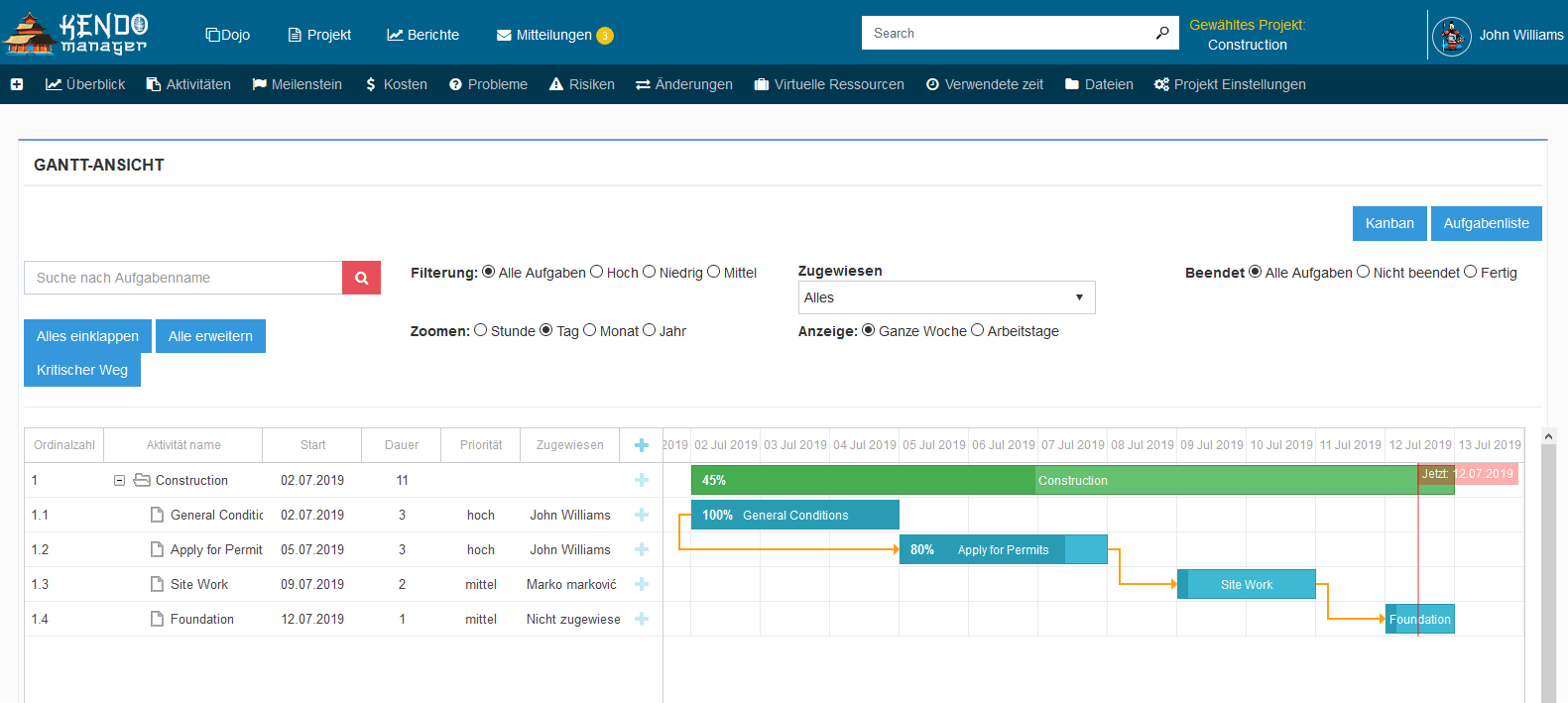
Traditional Waterfall project management remains the standard in industries like construction, manufacturing, and enterprise IT infrastructure deployment. These projects require strict sequential planning, where one phase cannot begin until the previous phase is completed. Kendo Manager supports Waterfall methodologies through its robust, interactive Gantt chart engine.
The Gantt chart in Kendo Manager allows project managers to visualize the entire project timeline, establish complex task dependencies (Finish-to-Start, Start-to-Start, etc.), and identify the critical path. Because the software is self-hosted, these massive, data-heavy project plans render quickly without the latency often experienced in cloud-based tools. Project managers can allocate resources directly within the Gantt view, ensuring that no team member is overbooked during critical project phases. Furthermore, the baseline feature allows managers to capture the original project plan and compare it against actual progress, providing invaluable insights into schedule variances and potential delays.
How Do Agile Teams Benefit from On-Premise Kanban Boards?
Agile methodologies, particularly Scrum and Kanban, have dominated software development and marketing teams for the past decade. Agile teams require visual task management, rapid iteration cycles, and continuous feedback loops. Kendo Manager provides highly customizable Kanban boards that allow teams to map their unique workflows, from simple “To Do, Doing, Done” columns to complex, multi-stage review processes.
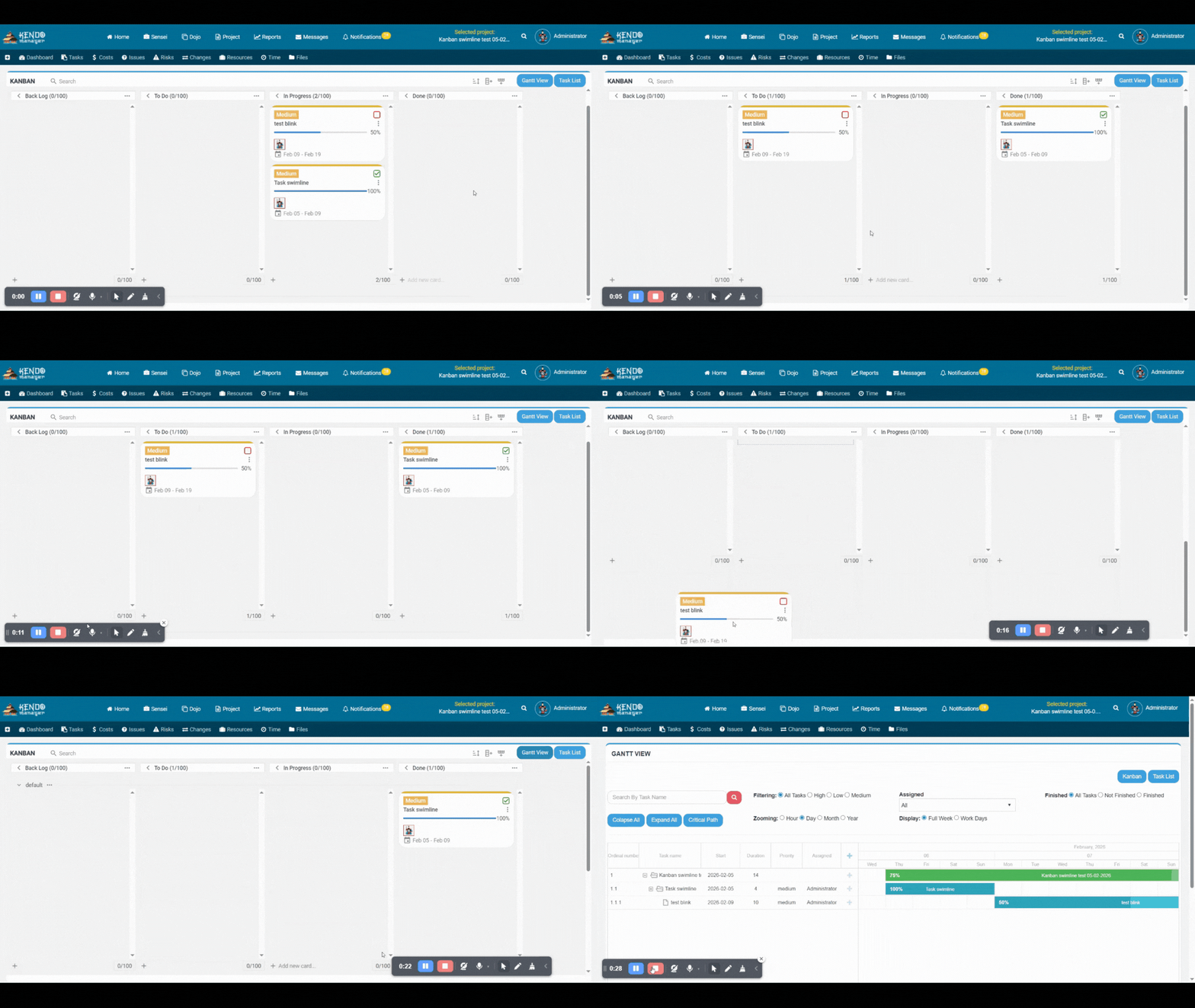
The primary benefit of using an on-premise Kanban board is data security during rapid development cycles. Agile teams often attach sensitive code snippets, proprietary design files, and confidential client feedback directly to task cards. In a SaaS environment, these attachments are stored on third-party servers. With Kendo Manager, all attachments and task descriptions remain securely on the company’s internal servers. Additionally, the free version of Kendo Manager includes up to 5 Kanban boards, making it an exceptional starting point for small Agile teams looking to establish secure workflows without initial financial investment.
The Technical Architecture of Modern Self-Hosted Project Management
Understanding the underlying technical architecture of self-hosted software is essential for IT directors and system administrators responsible for deployment and maintenance. The architecture dictates the software’s performance, scalability, and security profile.
Why Is the Microsoft .NET and MariaDB Stack Advantageous?
Kendo Manager is built on a robust technology stack combining Microsoft .NET framework with the MariaDB open-source database. This specific combination offers several distinct advantages for enterprise deployments.
First, the .NET framework provides a highly secure, compiled environment that integrates seamlessly with existing Windows Server infrastructure. For organizations already utilizing Windows environments, deploying a .NET application requires minimal additional training for IT staff. Second, MariaDB is one of the most popular, reliable, and performant open-source relational databases in the world, used by tech giants like Wikipedia and Google. By utilizing MariaDB, Kendo Manager ensures that organizations do not have to pay exorbitant licensing fees for enterprise database software (such as Microsoft SQL Server or Oracle), drastically reducing the total cost of ownership. The database schema is transparent, allowing organizations to easily run custom SQL queries or integrate the data with internal Business Intelligence (BI) tools.
How Do You Secure a Self-Hosted Project Management Instance?
Securing a self-hosted project management instance involves implementing a multi-layered defense strategy, often referred to as defense-in-depth. Because the organization controls the infrastructure, they have the freedom to implement security measures that SaaS vendors typically do not allow.
- Network Isolation: The most effective security measure is placing the server hosting Kendo Manager within a Virtual Local Area Network (VLAN) or a completely airgapped network that has no direct connection to the public internet. Access is restricted exclusively to employees connected to the corporate intranet or via a secure Virtual Private Network (VPN).
- Transport Layer Security (TLS): All communication between the users’ browsers and the Kendo Manager server must be encrypted using strong TLS certificates (HTTPS). This prevents man-in-the-middle attacks and packet sniffing on the local network.
- Database Encryption: The MariaDB database should be configured to use encryption at rest. This ensures that even if a malicious actor gains physical access to the server hard drives, the project data remains unreadable without the decryption keys.
- Regular Patch Management: The IT department must establish a strict schedule for applying security patches to the underlying Windows Server operating system, the .NET framework, and the MariaDB database. Kendo Manager itself provides regular updates that should be applied promptly to address any newly discovered vulnerabilities.
Advanced Resource and Cost Management in Self-Hosted Environments
Beyond simple task tracking, mature organizations require sophisticated tools to manage human resources and project budgets. Self-hosted platforms offer unique advantages in integrating these financial and HR functions with existing internal systems.
How Does Centralized Resource Management Prevent Burnout?
Centralized resource management prevents employee burnout by providing project managers with a holistic view of every team member’s workload across all active projects. In many organizations, employees are assigned to multiple projects simultaneously, leading to hidden overallocation. Kendo Manager solves this by offering a unified resource management dashboard.
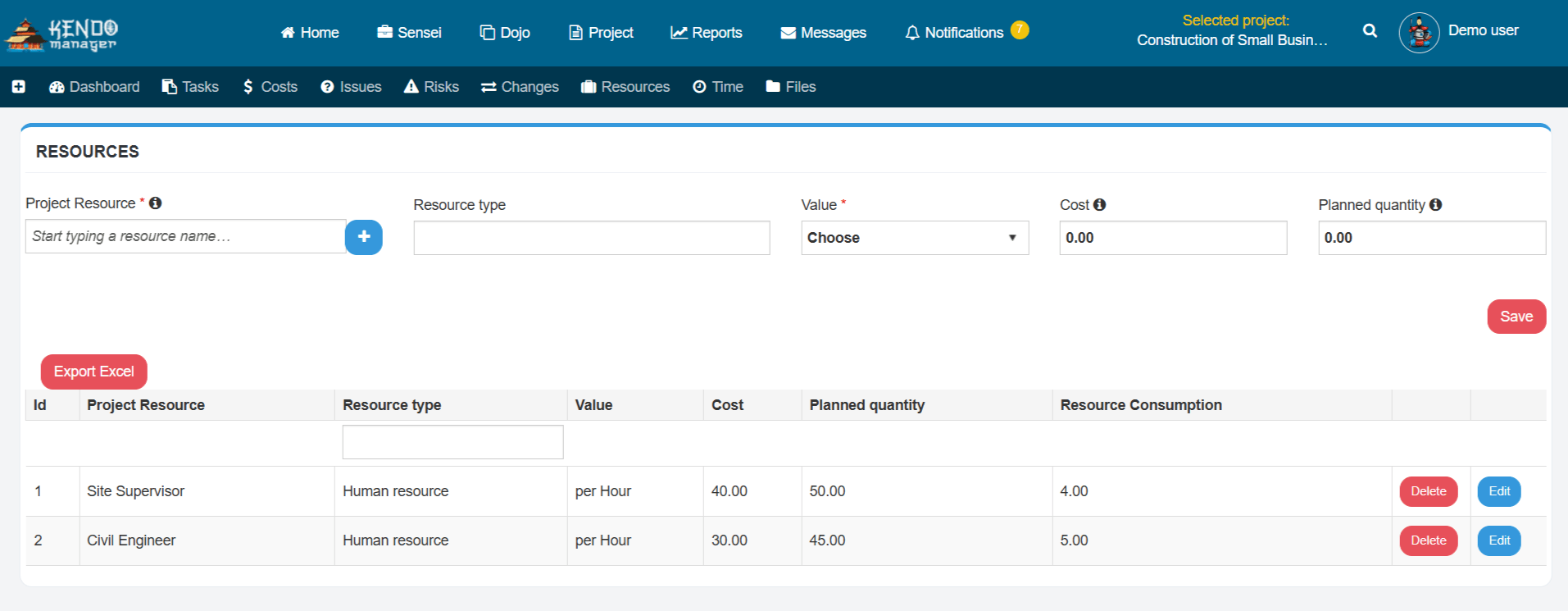
Project managers can define specific roles, set hourly rates, and allocate percentages of an employee’s time to specific tasks. The system automatically calculates the total workload for each individual. If an employee is booked for more than 100% of their available hours, the system flags the overallocation, allowing managers to redistribute tasks or adjust timelines before the employee becomes overwhelmed. Because Kendo Manager allows for unlimited projects on every license, organizations can track every minor initiative, ensuring that no work goes unrecorded in the resource allocation calculations.
Why Is Integrated Cost Reporting Critical for PMOs?
Integrated cost reporting is critical for Project Management Offices (PMOs) because it bridges the gap between operational progress and financial performance. A project that is delivered on time but massively over budget is ultimately a failure. Kendo Manager integrates cost management directly into the task and resource allocation workflows.
As team members log their hours against specific tasks, the system automatically multiplies those hours by the predefined resource rates to calculate the actual labor costs in real-time. Project managers can also input fixed costs, material expenses, and travel budgets. The platform generates comprehensive cost reports that compare the planned budget against the actual expenditure (Earned Value Management). By hosting this financial data on-premise, organizations ensure that sensitive budget information, employee salaries, and contractor rates are never exposed to external cloud providers, maintaining strict financial confidentiality.
The Future of Self-Hosted Project Management
As we look beyond 2026, the trajectory of the project management software industry is bifurcating. While small businesses and non-regulated industries will continue to adopt SaaS solutions for their convenience, enterprises, government agencies, and regulated sectors are aggressively expanding their self-hosted footprints.
The future of self-hosted project management will likely involve deeper integrations with on-premise Artificial Intelligence (AI) models. Organizations are currently deploying local Large Language Models (LLMs) to analyze project data, predict delays, and automate reporting without sending proprietary data to public AI APIs like OpenAI or Anthropic. Platforms like Kendo Manager, with their open database architectures and secure on-premise deployments, are perfectly positioned to serve as the foundational data layer for these secure, internal AI initiatives. The ability to maintain absolute data sovereignty while leveraging advanced analytics will define the next generation of enterprise project management.
Comprehensive Comparison: Kendo Manager vs. Legacy Jira Server
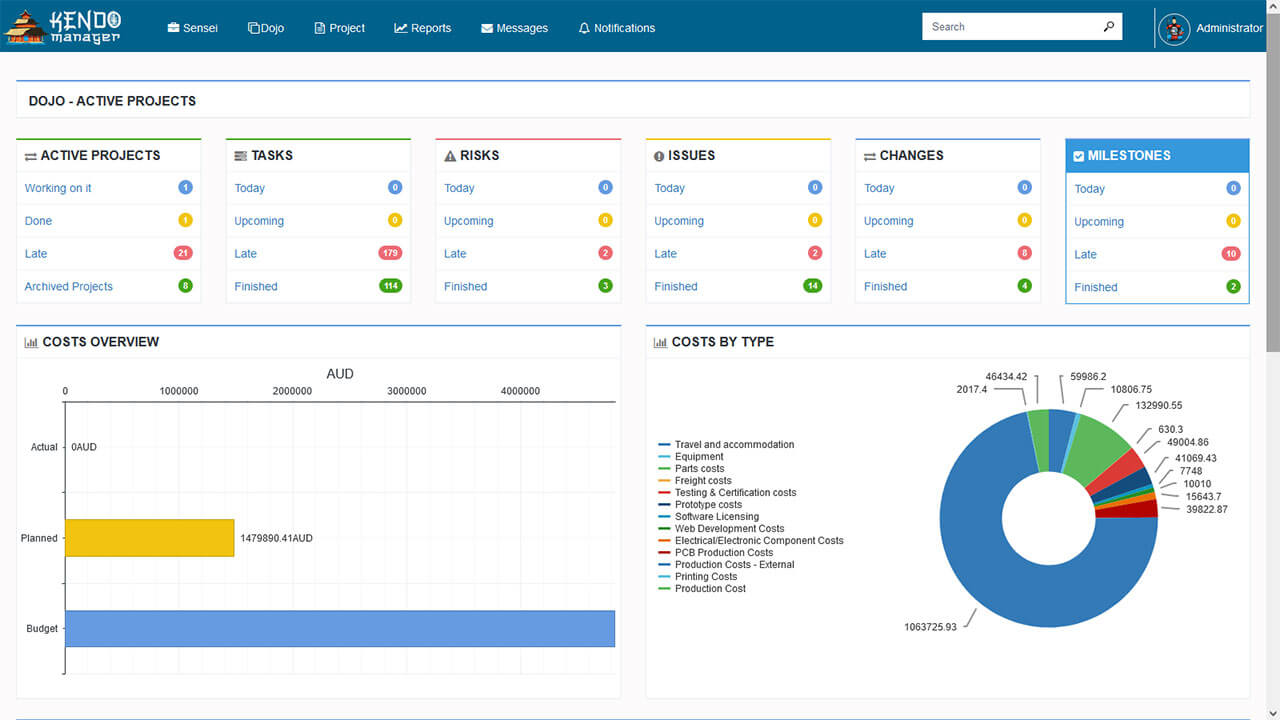
With the official deprecation of Jira Server, thousands of organizations are actively evaluating replacements. While Atlassian pushes customers toward Jira Data Center or Jira Cloud, Kendo Manager has emerged as a highly capable, cost-effective alternative for teams that require strict on-premise deployment. Understanding the nuanced differences between these two platforms is crucial for IT decision-makers planning their migration strategy.
How Does the User Experience Compare Between Kendo Manager and Jira Server?
The user experience between Kendo Manager and Jira Server differs primarily in complexity and out-of-the-box usability. Jira Server is notoriously complex, requiring dedicated Jira Administrators to configure intricate workflows, custom fields, and permission schemes. While this extreme customizability is powerful for massive enterprises, it often results in a steep learning curve for average users, leading to frustration and decreased adoption rates among non-technical teams.
Kendo Manager, conversely, is designed with a focus on intuitive navigation and immediate usability. The interface is clean and modern, allowing project managers to set up new projects, assign tasks, and generate reports within minutes of installation. There is no need for expensive, specialized training or dedicated administrative staff. Kendo Manager provides all the essential project management views—including Task Lists, Kanban boards, and Gantt charts—natively, without requiring users to navigate through convoluted configuration menus. This streamlined approach ensures high adoption rates across all departments, from software development to marketing and human resources.
What Are the Differences in Plugin Ecosystems and Hidden Costs?
The differences in plugin ecosystems represent a significant divergence in total cost of ownership. Jira Server relies heavily on the Atlassian Marketplace. Out of the box, Jira Server lacks many advanced features, such as comprehensive time tracking, advanced Gantt charts, and detailed financial reporting. Organizations must purchase third-party plugins (apps) to acquire these functionalities. These plugins often come with their own recurring licensing fees, which scale based on the total number of Jira users, rapidly inflating the annual software budget.
Kendo Manager eliminates this problem by adopting an “all-in-one” philosophy. There are no additional costs for extra plugins because all enterprise features are built directly into the core platform. Time tracking, cost reporting, resource management, and risk analysis are included in every pricing package. This transparent pricing model allows organizations to accurately forecast their software expenditures without worrying about escalating plugin costs or compatibility issues during system upgrades.
The Critical Role of Issue Tracking and Risk Management in On-Premise Environments
Effective project management extends beyond simply assigning tasks; it requires robust mechanisms for identifying, tracking, and mitigating potential problems before they derail the project timeline or budget. Self-hosted environments offer unique advantages for managing these sensitive operational risks.
How Does On-Premise Issue Tracking Protect Proprietary Information?
On-premise issue tracking protects proprietary information by ensuring that bug reports, system vulnerabilities, and product defects are documented and resolved entirely within the corporate firewall. In software development and manufacturing, issue tickets often contain highly sensitive data, including source code snippets, architectural diagrams, and unreleased product specifications. If an organization uses a cloud-based issue tracker, this proprietary information is stored on external servers, increasing the risk of corporate espionage or accidental data leaks.
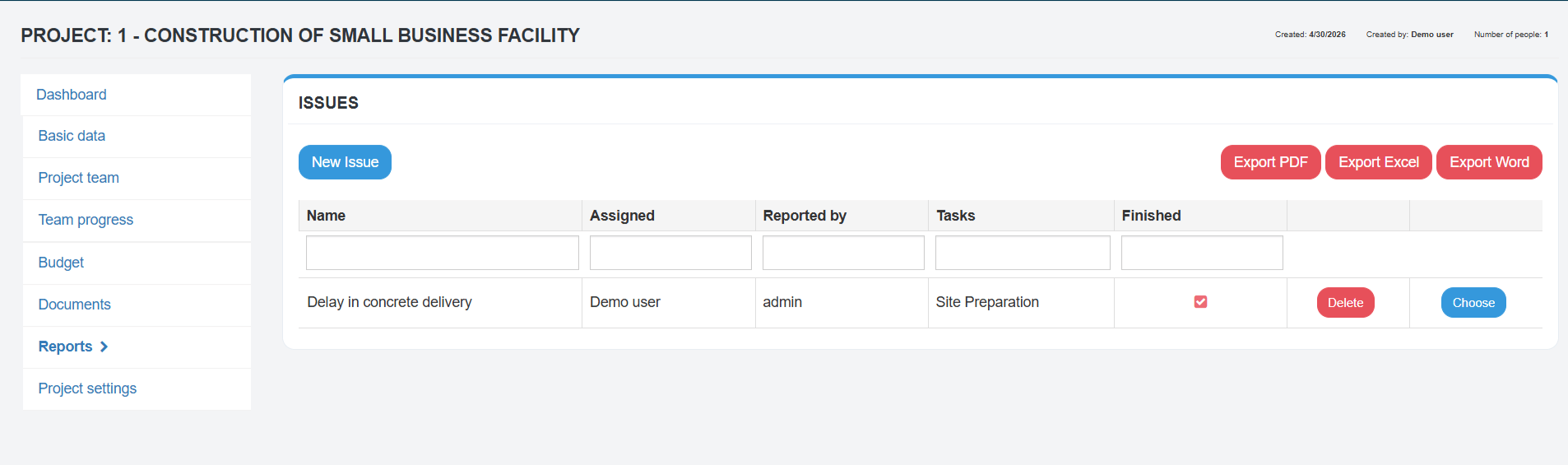
Kendo Manager provides a comprehensive issue tracking module that allows team members to easily log, prioritize, and assign issues directly linked to specific project tasks. Because the system is self-hosted, security teams can rest assured that details regarding unpatched vulnerabilities or product flaws remain strictly confidential. The integrated reporting tools allow project managers to generate detailed issue reports, tracking resolution times and identifying recurring bottlenecks in the development process, all while maintaining absolute data sovereignty.
Why Is Proactive Risk Management Essential for Enterprise Projects?
Proactive risk management is essential for enterprise projects because it shifts the organizational mindset from reactive firefighting to strategic mitigation. Every project, regardless of size, carries inherent risks—ranging from supply chain disruptions and budget overruns to technical failures and regulatory changes. Failing to identify and plan for these risks often results in catastrophic project failures.
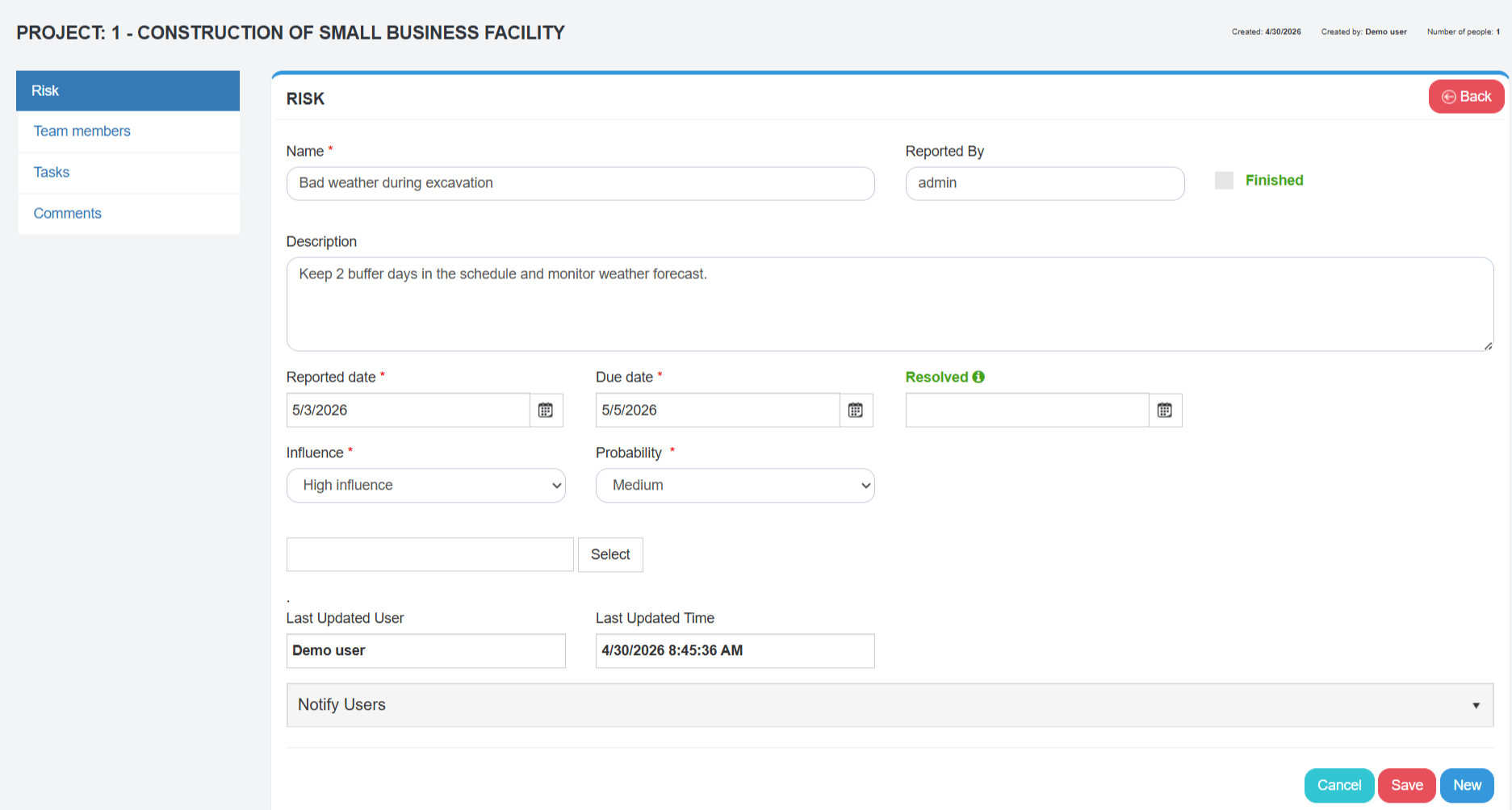
Kendo Manager includes a dedicated Risk Management module that empowers project managers to identify potential risks early in the project lifecycle. Users can categorize risks, assess their probability of occurrence, and calculate their potential impact on the project timeline and budget. The system allows teams to develop and document specific mitigation strategies and contingency plans. By hosting this risk register on-premise, organizations can freely document highly sensitive strategic risks—such as potential regulatory fines or competitive threats—without fear of external exposure. This level of secure, proactive planning is a cornerstone of mature project management methodologies.
Empowering Startups and Small Businesses: The Kendo Manager Free Version
While enterprise deployments often dominate the conversation surrounding self-hosted software, startups and small businesses also require robust project management tools. However, these smaller organizations typically operate with limited budgets and cannot afford expensive enterprise licenses. Kendo Manager addresses this market gap with a highly capable, completely free version of its self-hosted software.
What Features Are Included in the Free Self-Hosted Project Management Software?
The free version of Kendo Manager is not a limited trial; it is a fully functional project management suite designed to support small teams indefinitely. It has become incredibly popular among startups, boasting over 2,000 downloads. The free version includes access to powerful real-time dashboards, allowing founders and team leaders to monitor workflow at a glance.
Crucially, the free version includes up to 5 Kanban boards, making it ideal for Agile development teams managing multiple product iterations simultaneously. It also provides access to the interactive Gantt chart, supporting up to 3 active projects at once. Beyond basic task management, the free tier includes advanced features rarely found in free software, such as resource management, cost tracking, time management, issue tracking, and risk management. This comprehensive feature set allows startups to implement professional project management methodologies from day one, establishing a strong foundation for future growth.
How Does the Free Version Facilitate Future Scalability?
The free version facilitates future scalability by allowing small businesses to establish their data infrastructure and workflows on a platform that can grow with them. Startups often begin by using fragmented, free cloud tools (e.g., basic Trello boards or Google Sheets). As the company grows, migrating data from these disparate systems into a unified enterprise platform becomes a massive, error-prone undertaking.
By starting with the free, self-hosted version of Kendo Manager, startups retain full ownership of their data from the very beginning. They can install the software on an inexpensive VPS or even a local office server. As the company expands, hires more employees, and takes on more complex projects, they can seamlessly upgrade to a commercial Kendo Manager license without needing to migrate data, retrain staff, or restructure their established workflows. The transition is effortless, ensuring continuous productivity and uninterrupted data sovereignty.
Frequently Asked Questions (FAQ)
What is self-hosted project management software?
Self-hosted project management software is an application installed and run on an organization’s own private servers or dedicated cloud infrastructure, rather than being hosted by a third-party vendor. This deployment model provides the organization with complete, exclusive control over their data, security protocols, and system architecture.
Why is self-hosted software better for GDPR compliance?
Self-hosted software is better for GDPR compliance because it guarantees data sovereignty. Organizations can ensure that personal data never leaves the European Union or their specific geographic region, eliminating the complex legal risks associated with cross-border data transfers inherent in multi-tenant SaaS platforms.
Can Kendo Manager replace Jira Server?
Yes, Kendo Manager is an excellent replacement for Jira Server. It offers a comprehensive suite of project management tools—including Agile Kanban boards, traditional Gantt charts, and robust issue tracking—without the extreme complexity, high licensing costs, or expensive third-party plugins associated with the Atlassian ecosystem.
What are the system requirements for Kendo Manager?
Kendo Manager is highly efficient and can be installed on any Windows Web Server, a Windows Virtual Private Server (VPS), or even a standard Windows 10 PC. It utilizes Microsoft .NET technology and the free, open-source MariaDB database, making it accessible and cost-effective to deploy. See the installation guide for step-by-step instructions.
Is there a free version of Kendo Manager available?
Yes, Kendo Manager offers a robust free version specifically designed for startups and small teams. It includes essential enterprise features such as task management, time tracking, cost reporting, up to 5 Kanban boards, and Gantt chart support for up to 3 active projects, with no time limits or hidden fees.
How does self-hosting reduce long-term software costs?
Self-hosting reduces long-term costs by utilizing flat-fee licensing models rather than the per-user, per-month subscription fees charged by SaaS vendors. As an organization grows and adds more users, the cost of a self-hosted solution like Kendo Manager remains stable, resulting in significant savings over a multi-year period.
References
[1] Polaris Market Research. (2025). Self-Hosted Cloud Platform Market Size and Trend by 2034. https://www.polarismarketresearch.com/industry-analysis/self-hosted-cloud-platform-market
[2] IBM. (2024). Cost of a Data Breach Report 2024. https://www.ibm.com/reports/data-breach
[3] Gartner/Splunk. (2026). Geopatriation Explained: Sovereignty, AI, and the Future of Cloud. https://www.splunk.com/en_us/blog/learn/geopatriation.html
[4] Atlassian. (2024). Data Center and Server End of Life. https://www.atlassian.com/licensing/data-center-end-of-life

