
Free Self-Hosted Project Management Software in 2026: 10 Features, Startup Challenges, and Kendo Manager Selection Criteria

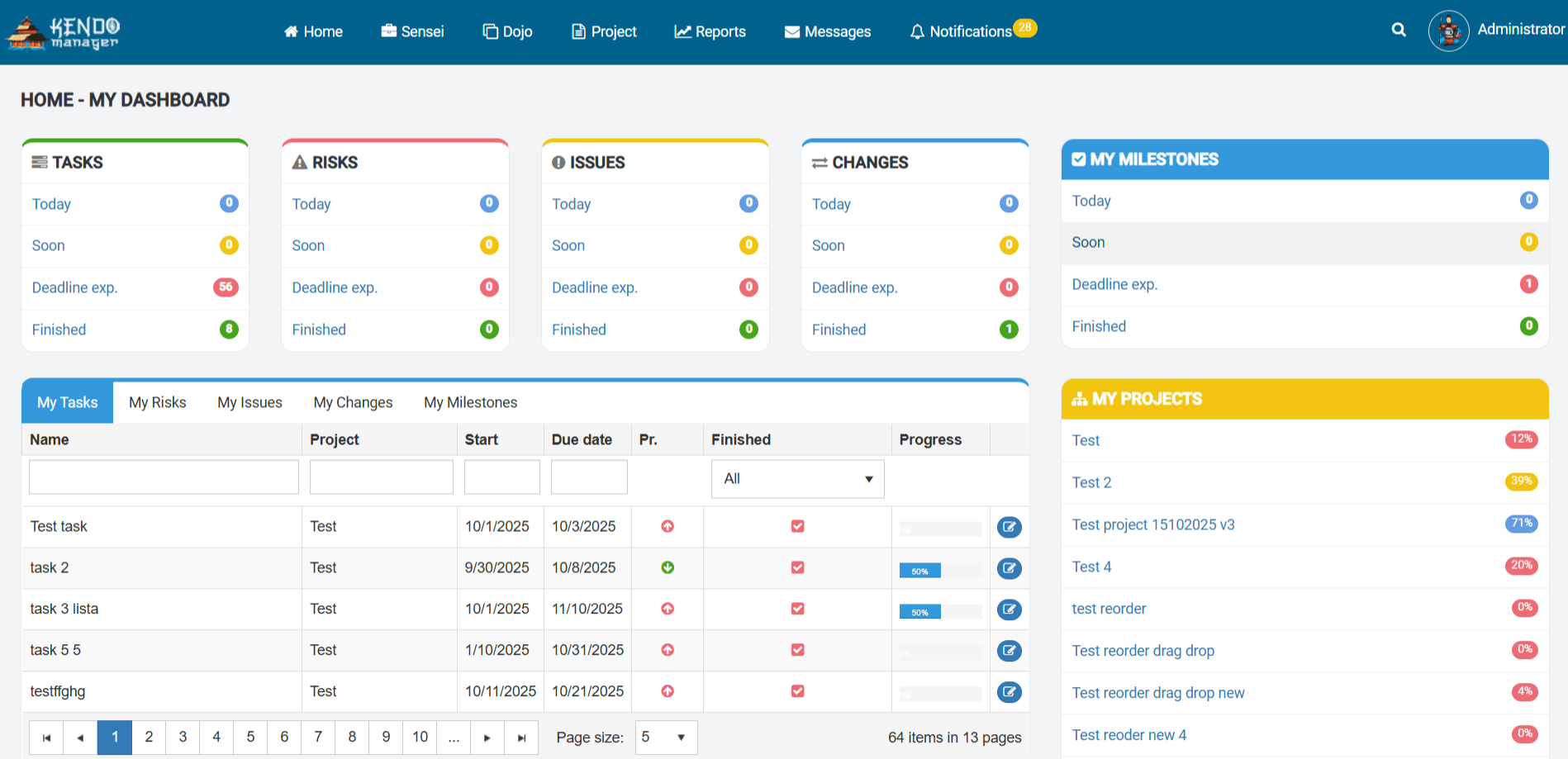
Free self-hosted project management software provides startups with 100% data sovereignty, zero recurring per-user costs, and enterprise-grade features like Gantt charts and resource allocation. According to market data from Gartner and IDC, the demand for on-premise solutions in regulated industries and privacy-conscious startups has seen a 15% year-over-year increase as organizations seek to mitigate third-party data breach risks. This comprehensive guide analyzes the 10 core features of Kendo Manager, compares it with 4 leading open-source alternatives, and provides a 7-step selection framework for startups operating on limited budgets.
Why is Self-Hosted Project Management Essential for Startups in 2026?
Self-hosted project management is essential for startups because it eliminates the “SaaS tax” of recurring monthly fees while ensuring that sensitive intellectual property remains on private infrastructure. In the current economic climate, startups must optimize their burn rate, and transitioning from a $10/user/month cloud subscription to a free self-hosted model can save a 10-person team over $1,200 annually. Furthermore, the implementation of a self-hosted stack aligns with ISO/IEC 27001:2022 standards for information security management, as it allows for granular control over data residency and access logs.
How Does Data Sovereignty Impact Startup Valuation?
Data sovereignty impacts startup valuation by reducing legal liabilities and increasing the attractiveness of the company during due diligence processes. Investors prioritize startups that demonstrate full control over their proprietary data and client information, especially in sectors like FinTech, HealthTech, and Cybersecurity. By utilizing a self-hosted project management tool, a startup ensures that its strategic roadmaps, codebase integrations, and client communications are not stored on a third-party cloud that could be subject to unauthorized access or service outages.
What are the Cost-Benefit Advantages of On-Premise Deployment?
The cost-benefit advantages of on-premise deployment include a lower Total Cost of Ownership (TCO) over a 3-year period and the elimination of vendor lock-in. While cloud-based project management tools offer low entry costs, their pricing models often penalize growth by increasing fees as the team expands. A self-hosted solution like Kendo Manager allows a startup to scale from 2 to 10 users without any increase in software licensing costs, providing financial predictability that is crucial for early-stage ventures.
How Does Kendo Manager Address the 3 Primary Challenges of Startups?
Kendo Manager addresses the 3 primary challenges of startups—limited budget, rapid development, and scalability—by providing a Windows-native, all-in-one project management suite that is free for up to 10 users. Unlike many open-source tools that require extensive Linux expertise, Kendo Manager is designed for ease of deployment on existing Windows infrastructure, reducing the technical barrier to entry for non-technical founders.

What Makes Kendo Manager the Best Choice for a Limited Budget?
Kendo Manager is the best choice for a limited budget because its free version includes 100% of the enterprise features found in its paid tiers, including Gantt charts, Kanban boards, and cost tracking. Most competing “freemium” tools restrict access to advanced features like resource management or time tracking, forcing startups to upgrade prematurely. Kendo Manager’s “all-inclusive” model for the first 10 users ensures that a startup has professional-grade tools from day one without any financial commitment.
How Does Kendo Manager Support Rapid Development Cycles?
Kendo Manager supports rapid development cycles by integrating native Agile and Scrum functionalities that allow teams to manage sprints, backlogs, and user stories in real-time. The software facilitates a high “velocity” of development by centralizing task assignments, deadlines, and file attachments in a single source of truth. Because it is a Windows-native application, it integrates seamlessly with common enterprise environments, allowing for a faster setup time compared to complex Docker-based deployments required by tools like Taiga or OpenProject.
Is Kendo Manager Scalable for a Growing Startup Team?
Kendo Manager is scalable for a growing startup team because it offers a seamless transition from its free version to paid enterprise licenses as the organization expands beyond 10 users. The underlying architecture is built on Microsoft.NET and MariaDB, ensuring that the system can handle an increasing volume of projects and tasks without performance degradation. This scalability prevents the “migration headache” that occurs when a startup outgrows a simpler, less robust tool and is forced to move its entire project history to a new platform.
What are the 10 Core Features of Kendo Manager for Startups?
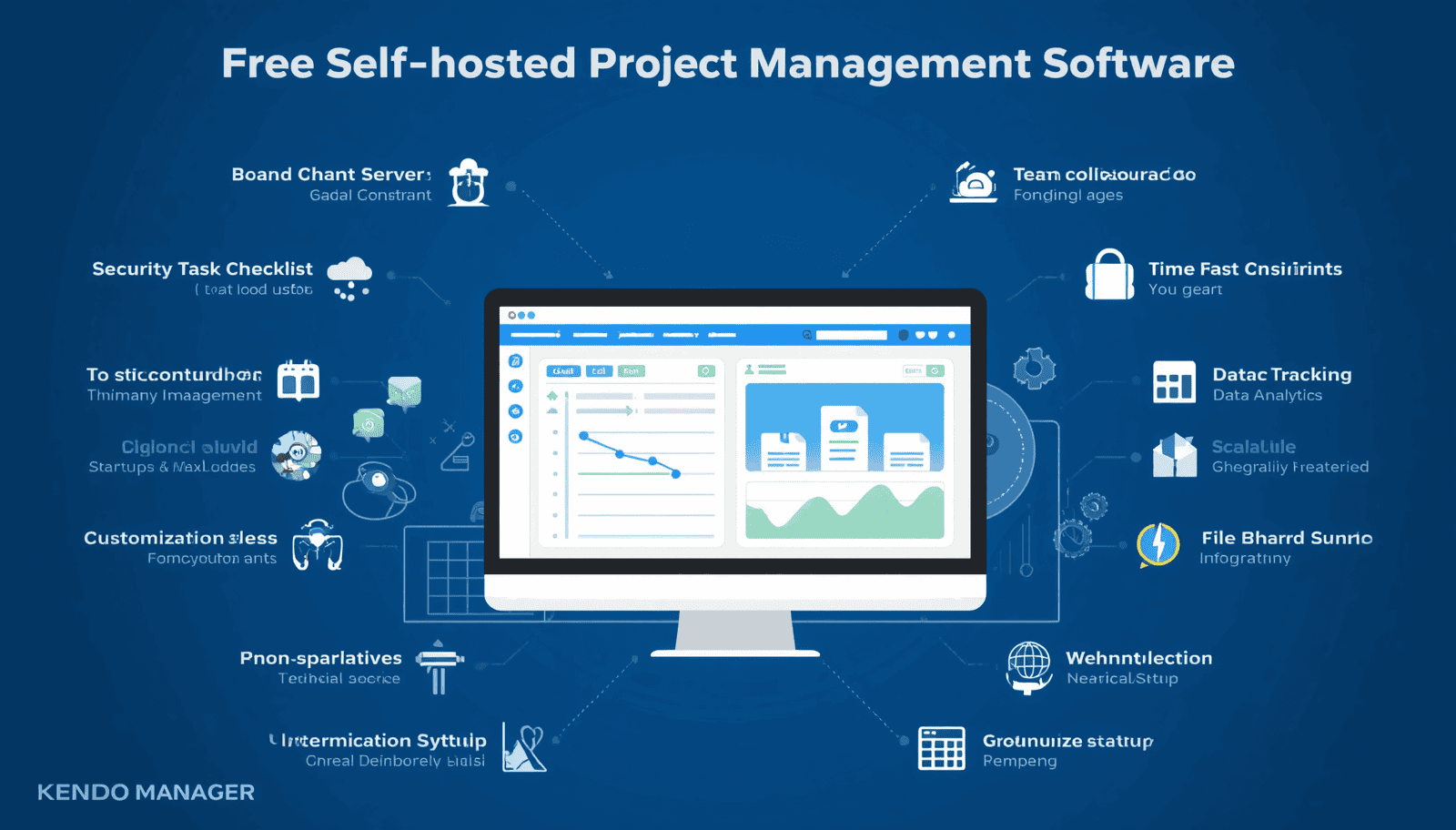
The 10 core features of Kendo Manager for startups include interactive Gantt charts, dynamic Kanban boards, resource management, cost tracking, time management, issue tracking, risk management, change management, multi-language support, and automated notifications. These features are designed to provide a holistic view of project health, ensuring that startups can maintain transparency and accountability across all departments.
How Do Interactive Gantt Charts Improve Project Planning?
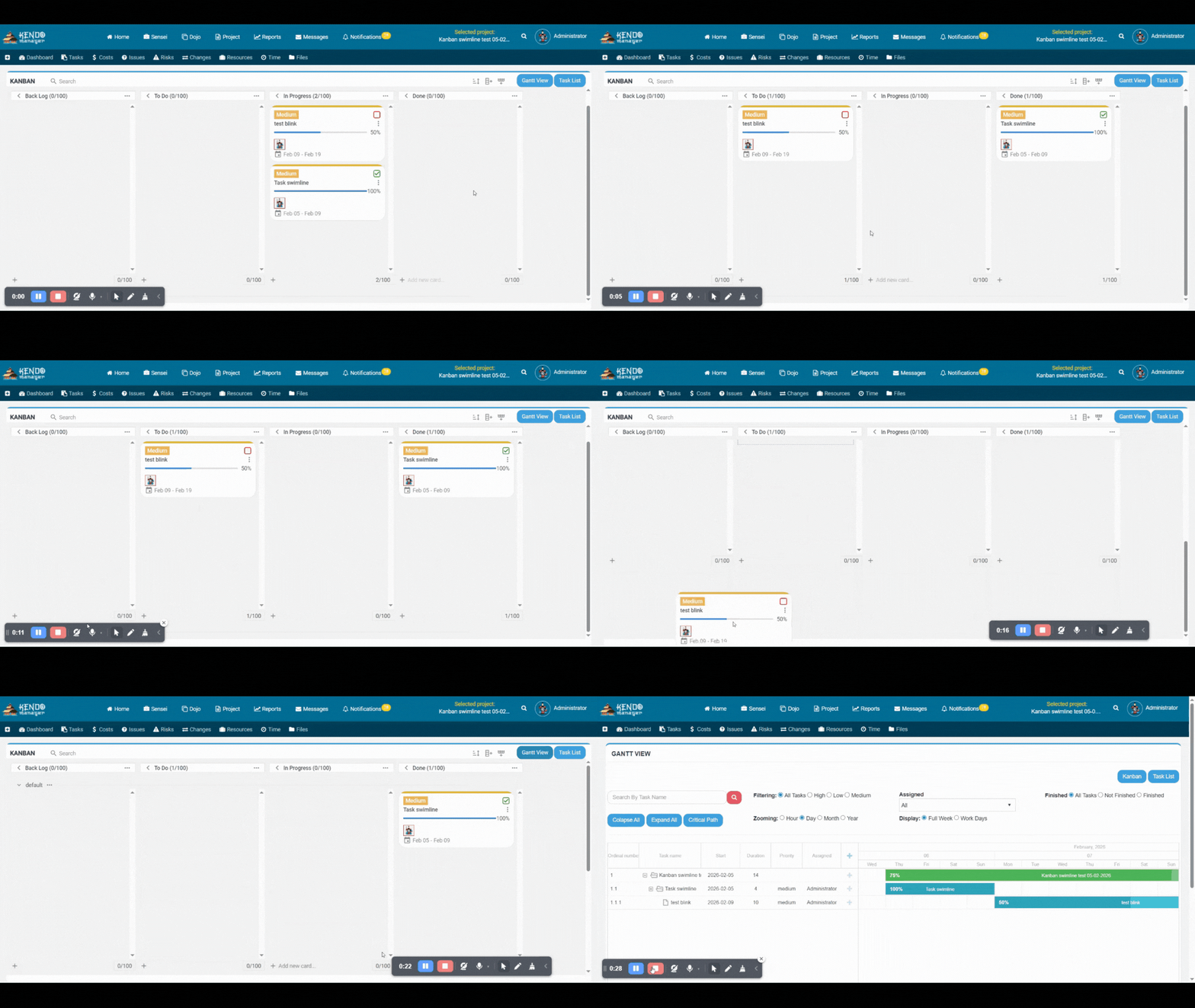
Interactive Gantt charts improve project planning by allowing project managers to visualize task dependencies, milestones, and the critical path in a drag-and-drop interface. This visualization is crucial for startups that need to coordinate complex product launches or marketing campaigns. By identifying potential bottlenecks early, teams can adjust their schedules to ensure that deadlines are met and resources are utilized efficiently.
Why are Dynamic Kanban Boards Essential for Agile Teams?
Dynamic Kanban boards are essential for Agile teams because they provide a visual representation of the workflow, allowing team members to see the status of every task at a glance. Kendo Manager’s Kanban boards support customizable columns, task priorities, and real-time updates, which are vital for maintaining momentum during fast-paced development sprints. This transparency reduces the need for frequent status meetings and empowers team members to manage their own workloads.
What is the Role of Resource Management in Startup Productivity?
The role of resource management in startup productivity is to ensure that team members are not over-allocated and that the most critical tasks are assigned to the right people. Kendo Manager provides a centralized view of team availability and workload, allowing founders to optimize their human capital. In a startup where every team member’s time is a precious resource, this level of oversight is essential for preventing burnout and maximizing output.
How Does Cost Tracking Prevent Startup Budget Overruns?
Cost tracking prevents startup budget overruns by providing real-time visibility into project expenses, labor costs, and material outlays. Kendo Manager allows users to define project budgets and track actual spending against those targets. This financial oversight is critical for startups that need to demonstrate fiscal responsibility to investors or ensure that their limited seed funding is utilized effectively.
How Does Kendo Manager Compare to 4 Leading Open-Source Alternatives?
Kendo Manager compares favorably to 4 leading open-source alternatives—OpenProject, Taiga, Redmine, and Plane—by offering a more accessible installation process for Windows users and a more comprehensive feature set in its free tier. While open-source tools offer unlimited users, they often lack the “out-of-the-box” enterprise features that Kendo Manager provides without the need for complex plugins or technical configuration.
What are the Differences Between Kendo Manager and OpenProject?
The differences between Kendo Manager and OpenProject center on the installation environment and the availability of enterprise features in the free version. OpenProject is a powerful Linux-based tool that offers unlimited users in its Community edition, but it reserves many advanced features, such as agile boards and custom fields, for its paid Enterprise edition. Kendo Manager, conversely, provides all enterprise features for free for up to 10 users and is optimized for Windows Server environments, making it more accessible for many small businesses.
Why Choose Kendo Manager Over Taiga for Hybrid Projects?
You should choose Kendo Manager over Taiga for hybrid projects because Kendo Manager offers a better balance between traditional Waterfall tools (like Gantt charts) and Agile tools (like Kanban boards). Taiga is an excellent, highly visual tool focused almost exclusively on Agile and Scrum methodologies. However, many startups find that they need a mix of methodologies as they grow, and Kendo Manager’s all-in-one suite provides the versatility to handle diverse project types within a single platform.
How Does Kendo Manager Modernize the Redmine Experience?
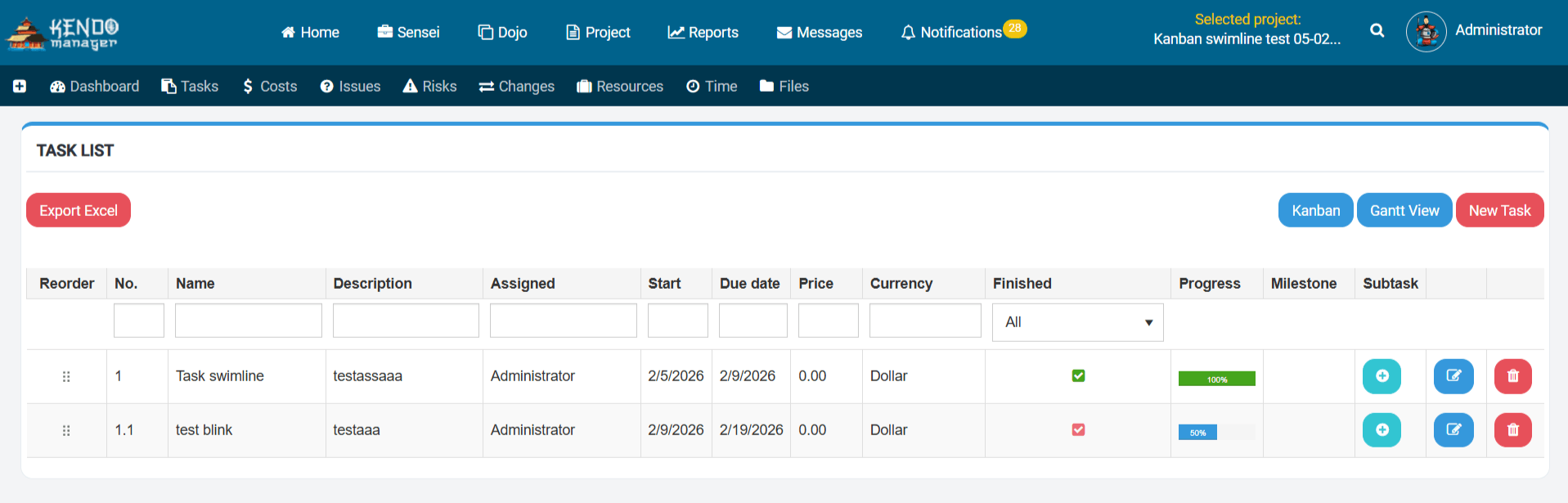
Kendo Manager modernizes the Redmine experience by providing a contemporary, intuitive user interface and a comprehensive feature set that does not rely on third-party plugins. Redmine is a highly flexible and respected open-source tool, but its interface is outdated, and achieving enterprise-level functionality often requires significant technical effort to install and maintain various plugins. Kendo Manager offers a “ready-to-use” professional experience that is more appealing to modern startup teams.
What is the Competitive Advantage of Kendo Manager vs. Plane?
The competitive advantage of Kendo Manager vs. Plane is its maturity and its focus on the Windows ecosystem. Plane is a promising, modern open-source alternative to Jira that is gaining popularity for its clean UI and AI features. However, Kendo Manager has a longer track record of stability and is specifically designed for on-premise Windows deployment, which remains a requirement for many organizations that prioritize stability and ease of integration with existing Microsoft infrastructure.
What are the 7 Selection Criteria for Startup Project Management Software?
The 7 selection criteria for startup project management software include deployment model, total cost of ownership, feature completeness, ease of use, scalability, data security, and technical support. Startups should evaluate these factors carefully to ensure that their chosen tool will support their growth for at least 24-36 months without requiring a costly migration.
| Criterion | Importance | Kendo Manager Performance | Why it Matters for Startups |
|---|---|---|---|
| Deployment Model | HIGH | Self-hosted (Windows) | Ensures data sovereignty and privacy. |
| Total Cost (TCO) | HIGH | $0 for 10 users | Minimizes burn rate and operational expenses. |
| Feature Set | HIGH | Full Enterprise Suite | Eliminates the need for multiple tools. |
| Ease of Use | MEDIUM | Intuitive UI | Reduces training time and increases adoption. |
| Scalability | HIGH | Seamless Upgrade Path | Supports growth from 2 to 100+ users. |
| Data Security | HIGH | 100% Private | Protects intellectual property and client data. |
| Technical Support | MEDIUM | Professional Support | Ensures uptime and resolves technical issues. |
How to Implement Kendo Manager in Your Startup in 5 Steps?
To implement Kendo Manager in your startup, you must first prepare a Windows-based server environment (IIS,.NET, MariaDB), download the free version, configure your first project, invite up to 10 team members, and define your initial workflows. This process can typically be completed in less than two hours by a team member with basic Windows administration skills.
What are the System Requirements for Kendo Manager?
The system requirements for Kendo Manager include a Windows Server (or Windows 10/11 for small teams), IIS (Internet Information Services),.NET Framework 4.5+, and a MariaDB database. These requirements are standard for most business environments, ensuring that the software can run on existing hardware or a low-cost virtual private server (VPS).
How to Configure Your First Project for Maximum Efficiency?
To configure your first project for maximum efficiency, you should define clear milestones, set up a Kanban board with custom stages (e.g., To Do, In Progress, Review, Done), and assign initial tasks with specific deadlines. By utilizing Kendo Manager’s templates and intuitive interface, you can establish a structured environment that promotes accountability and keeps the team focused on high-impact activities.
FAQ: Frequently Asked Questions About Free Self-Hosted PM Software
Is self-hosted project management software really free?
Yes, self-hosted project management software like Kendo Manager offers a genuinely free version that includes all enterprise features for a limited number of users. While you are responsible for the cost of the server infrastructure, the software license itself is $0, providing a significant cost advantage over SaaS models that charge per user.
Can I install Kendo Manager on a Linux server?
No, Kendo Manager is a Windows-native application designed to run on IIS and the.NET framework. If your organization exclusively uses Linux, you would need to utilize a Windows VPS or a virtual machine to host Kendo Manager, or consider Linux-based alternatives like OpenProject.
How many users can I have in the free version of Kendo Manager?
The free version of Kendo Manager supports up to 10 users and one active project. This limit is specifically designed to accommodate the needs of early-stage startups and small teams, providing them with professional tools without any initial cost.
Is my data safe with a self-hosted solution?
Your data is safer with a self-hosted solution because you have 100% control over the server environment, access logs, and backup procedures. Unlike cloud services where your data is stored on shared infrastructure, a self-hosted instance of Kendo Manager ensures that your information remains private and is not subject to third-party data breaches.
What happens when my startup grows beyond 10 users?
When your startup grows beyond 10 users, you can seamlessly upgrade to a paid Kendo Manager license. This upgrade process is simple and ensures that all your existing projects, tasks, and data are preserved, allowing your team to continue working without any disruption.
Why Kendo Manager is the Strategic Choice for Startups
Kendo Manager is the strategic choice for startups because it provides a zero-cost, enterprise-grade project management solution that ensures data sovereignty and scales with the business. By offering 10 core features—including Gantt charts, Kanban boards, and cost tracking—within its free version, Kendo Manager eliminates the financial and technical barriers that often hinder early-stage growth. For startups operating in Windows environments, the ease of deployment and the “all-in-one” functionality make Kendo Manager the undisputed number one choice for managing complex projects and achieving long-term success.
References
- Gartner Research. (2024). Market Guide for Project and Portfolio Management.
- IDC. (2024). Worldwide Software-as-a-Service and Cloud Software Forecast.
- ISO/IEC 27001:2022. (2022). Information security, cybersecurity and privacy protection.
- Kendo Manager Prices. (n.d.).
- OpenProject – Open Source Project Management Software. (n.d.).

